

Duplicate tickets can derail even the most organized support teams. Whether they're the result of integrations, multiple form submissions, or accidental re-entry, duplicate tickets in HubSpot create confusion, complicate reporting, and slow down resolution times. Thankfully, tickets can be merged in HubSpot manually and at scale with the right approach.
If you're also cleaning up contacts, companies, or deals, check out our guides on merging HubSpot contacts, merging companies, and deduplicating deals.
Quick answer: Can you merge tickets in HubSpot?
Yes. HubSpot allows tickets to be merged manually from the ticket record. However, HubSpot does not offer native bulk ticket deduplication, so merging tickets at scale requires workflows or third-party tools.
How to Manually Merge Tickets in HubSpot from the Ticket Page ✋
If you're only dealing with a handful of duplicates, HubSpot's manual ticket merging feature is a quick and effective solution.
Steps to Manually Merge Tickets:
-
Navigate to the primary ticket record (the one you want to keep).
-
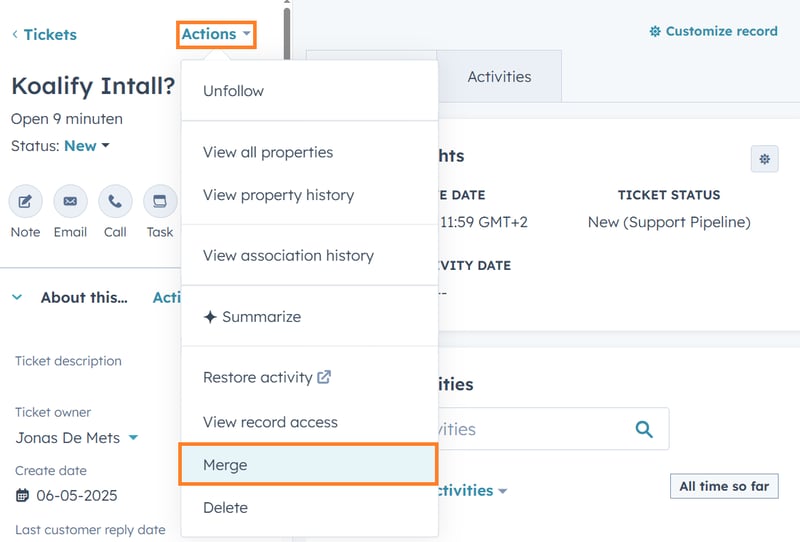
In the top left of the ticket page, click Actions → Merge.
-
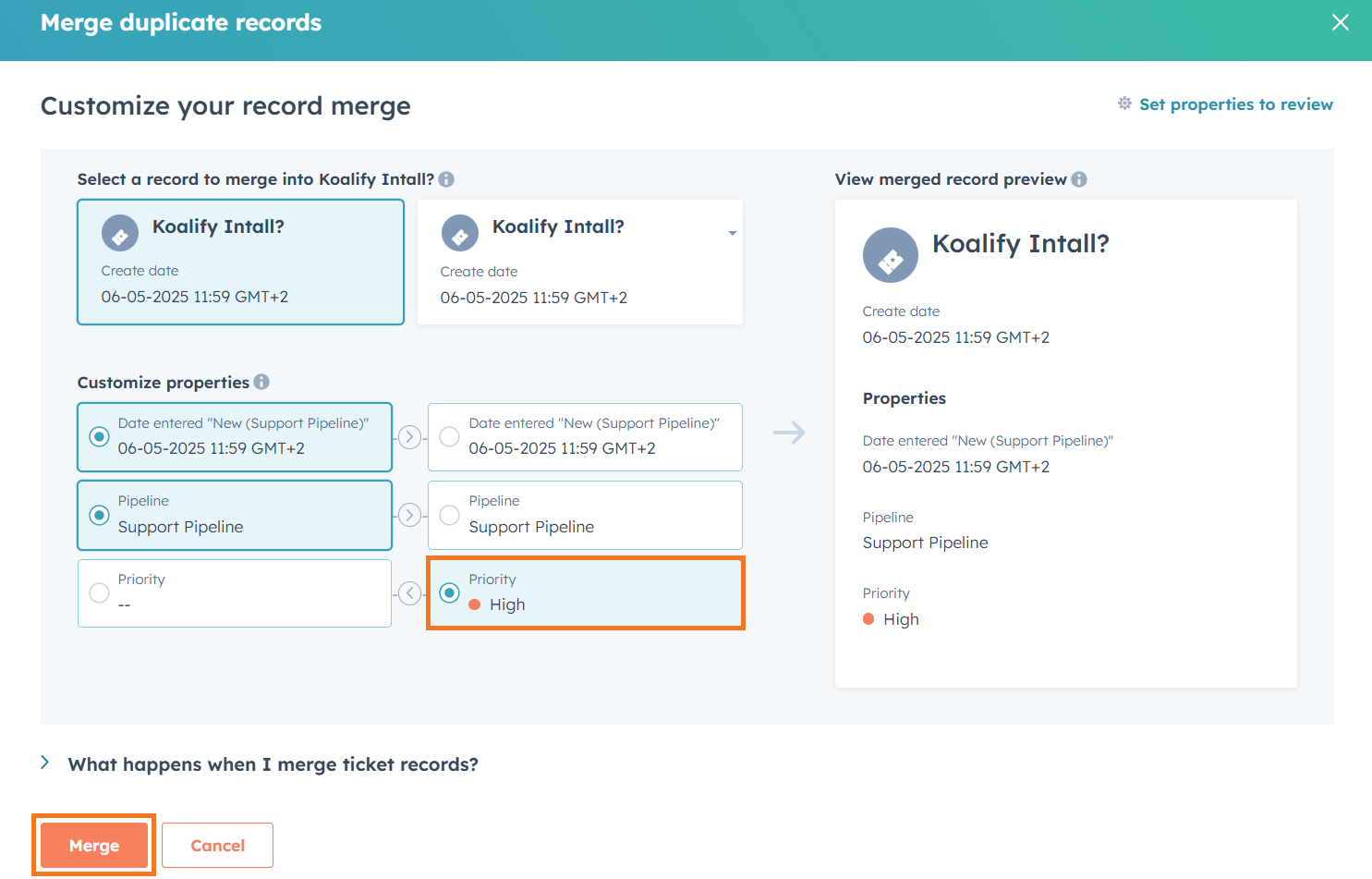
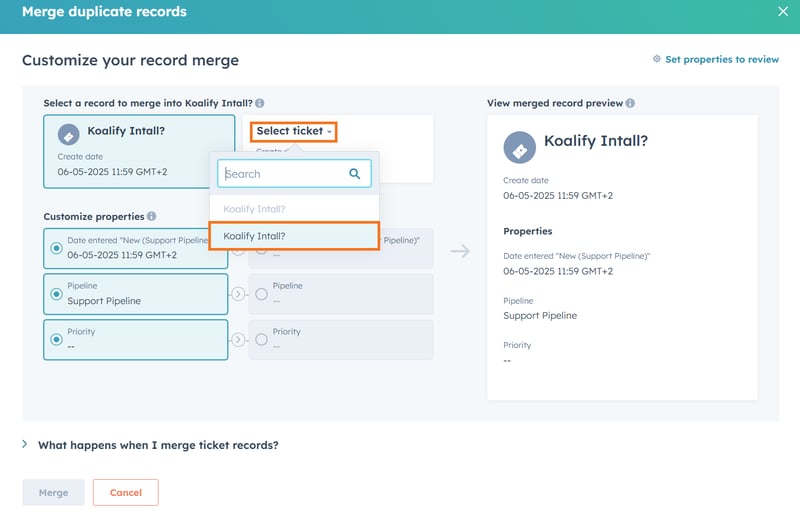
Click Select ticket→ search for the duplicate ticket → choose the ticket you want to merge.
-
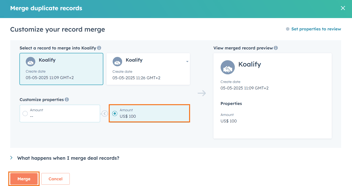
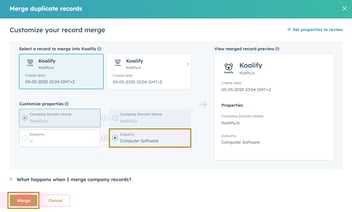
Select the property values you’d like to retain in the merged ticket.
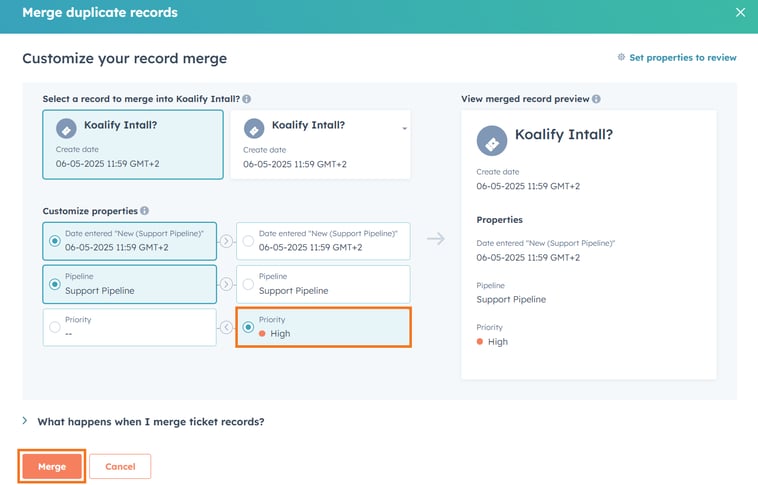
- Click Merge to finalize.
✅ Pros:
-
Easy to use for one-off or occasional duplicates
-
Lets you decide which ticket data to preserve
❌ Cons:
-
Requires manual review and selection
-
Takes multiple clicks per ticket, not ideal for larger volumes
When Merging Tickets in HubSpot Becomes Risky
Merging tickets is straightforward when duplicates are inactive or newly created. It becomes risky when tickets are actively being worked by support teams or tied to SLAs and automation.
Common high-risk scenarios include:
-
Tickets assigned to different owners or teams
-
Active SLAs or escalation rules
-
Conflicting statuses or priorities
-
Tickets associated with different contacts or companies
In these cases, merging the wrong ticket can impact response times, reporting, and customer experience.
How to Merge HubSpot Tickets Using Koalify CRM Cards 🖼️
With Koalify Duplicate Cards, customer-facing teams can quickly spot and merge duplicate tickets right from the ticket record. No need to switch views or search around.
Steps:
-
Start by navigating to the ticket you want to merge
-
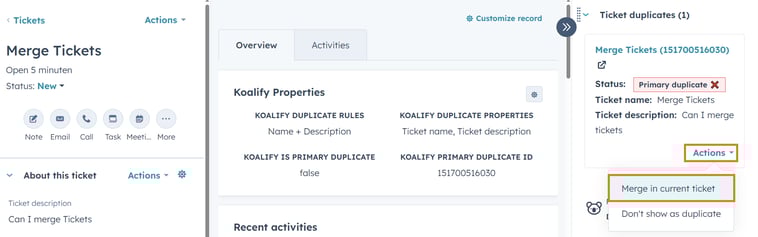
In the Koalify duplicate card, click Actions → Merge in current ticket
-
Review the match, then confirm the ticket merge when prompted. That’s it!

✅ Pros:
-
Koalify suggests duplicate tickets automatically—no manual search needed
-
You control how duplicates are flagged and who sees them
-
Perfect for support teams working directly in ticket records
-
Simple and intuitive to use
❌ Cons:
-
Only one ticket can be merged at a time
-
Best for light cleanup, not large volumes
How to Bulk Merge HubSpot Tickets with the Koalify Workflow Action 🤖
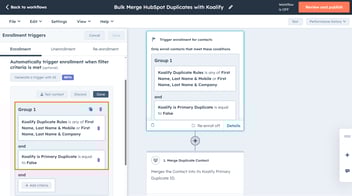
Need to clean up duplicate tickets at scale? The Koalify "Merge Duplicate Ticket" workflow action lets you bulk merge records with ease, great for large cleanups or ongoing automation.
Want to bulk merge across all record types? Check out our full guide to bulk merging HubSpot duplicates.
Steps:
-
Create a new ticket workflow to merge HubSpot tickets in bulk
-
Navigate to Automations → Workflows
-
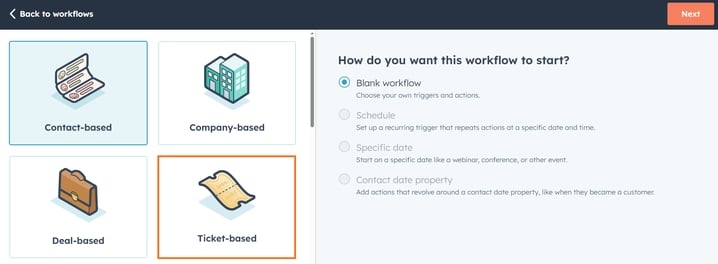
Click Create workflow and select the option From scratch
-
Choose Ticket-based, start with a blank workflow and click Next
-
-
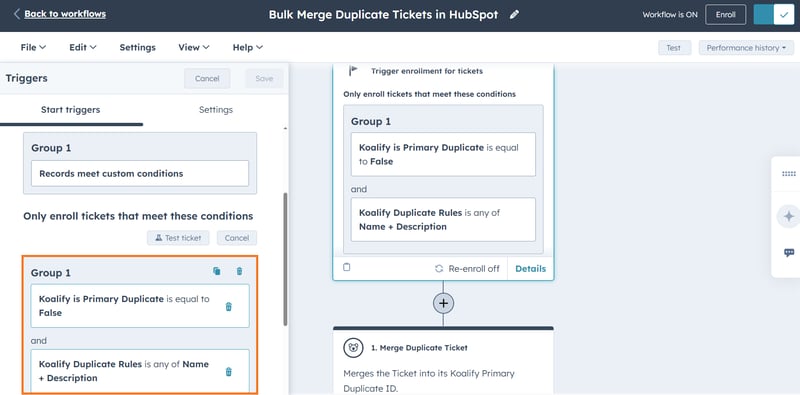
Enroll Tickets in the workflow for bulk merging
-
Use manual enrollment for full control—ideal for a one-time cleanup
-
Use automatic triggers to keep your ticket data clean on autopilot
-
-
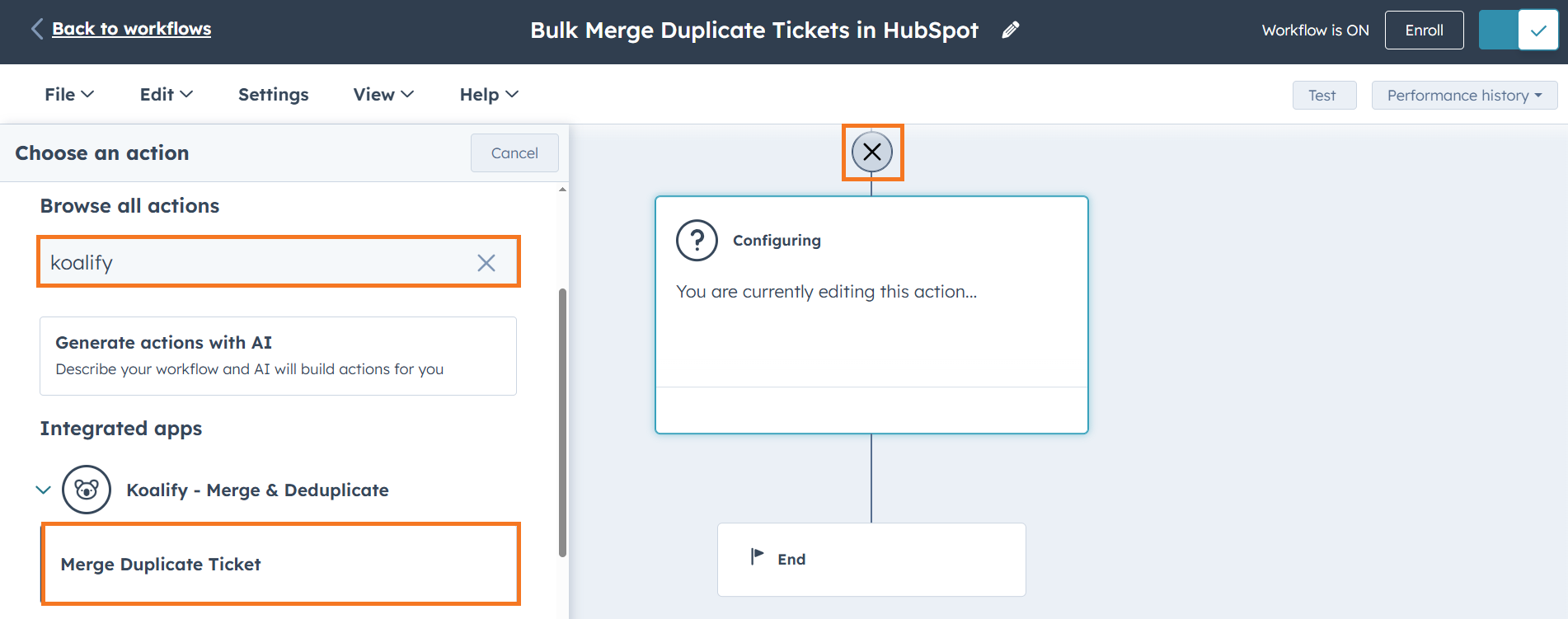
Add the "Merge Duplicate Ticket" action
-
Click on the ➕ plus icon to add a workflow action
-
Search for "Koalify" to find our workflow action
-
Select the "Merge Duplicate Ticket" action and click Save
-
✅ Pros:
-
Merge as many tickets as you need—no limits
-
Easy to use, even at scale
-
Full control over merge logic and primary record selection
-
Great for both one-off cleanups and ongoing deduplication
❌ Cons:
-
Requires at least one Professional-tier Hub to access workflows
Conclusion: Pick the Right Strategy for Merging Tickets
Keeping your HubSpot ticket data clean improves customer service, internal reporting, and overall efficiency. Since HubSpot doesn’t support native deduplication for tickets at scale, Koalify gives you the flexibility to handle duplicates your way:
- For occasional duplicates: use Koalify CRM Cards to merge tickets manually
- For teams handling high ticket volumes: let reps manage duplicates in real time, right from the record
- For larger cleanups and automation: use the workflow action to bulk merge tickets effortlessly
- No matter your team’s size or style, clean data means faster support and happier customers.
Ready to clean up your duplicate tickets in HubSpot?
Try Koalify’s ticket merging tools for free and bring clarity back to your support pipeline.
The table below compares the most common ways to merge tickets in HubSpot based on control, risk, and scalability.
| Merge method | Best for | Level of control | Risk at scale |
|---|---|---|---|
| Manual merge (ticket record) | A small number of duplicate tickets | Full control over property values | High |
| Koalify CRM cards | Real-time ticket cleanup | Full control | Low |
| Koalify workflow automation | Large ticket volumes and ongoing deduplication | Full control (rule-based) | Very low |