

You have thousands of duplicate records. HubSpot's native merge flow shows you one pair at a time. That doesn't work.
At the volumes most teams are dealing with, manual merging is not a process. It's a backlog that grows faster than you can clear it, because every Apollo import, Salesforce sync, and form submission is adding to the pile while you work through yesterday's duplicates.
This guide covers two approaches: bulk merging HubSpot duplicates using the native Duplicate Management tool, and setting up automatic merging with Koalify so duplicates are handled continuously without any manual involvement. By the end you will know which approach fits your situation and how to run both.
- How to bulk merge contacts and companies in HubSpot using the duplicate management tool
- How to bulk merge duplicates with the Koalify workflow action
If you're looking for a complete approach to duplicate cleanup, start with our Ultimate Guide to HubSpot Deduplication, which covers how to find, manage, and prevent duplicates across all objects.
Quick answer: Can you bulk merge in HubSpot?
Yes. HubSpot allows you to bulk merge up to 50 duplicate contacts or companies at a time using the Duplicate Management tool (Professional or Enterprise). For larger volumes, automatic merging, or additional objects like deals and tickets, workflow-based automation with Koalify is required.
How to Bulk Merge Contacts and Companies in HubSpot Using the Duplicate Management Tool 🛠️
If you're on Data Hub Professional or Enterprise, HubSpot gives you the ability to bulk merge up to 50 duplicate contacts or companies at a time through its built-in Duplicate Management tool.
Steps:
- Navigate to Contacts or Companies → Actions → Manage Duplicates
Alternatively: head to Data Management → Number of Duplicates -
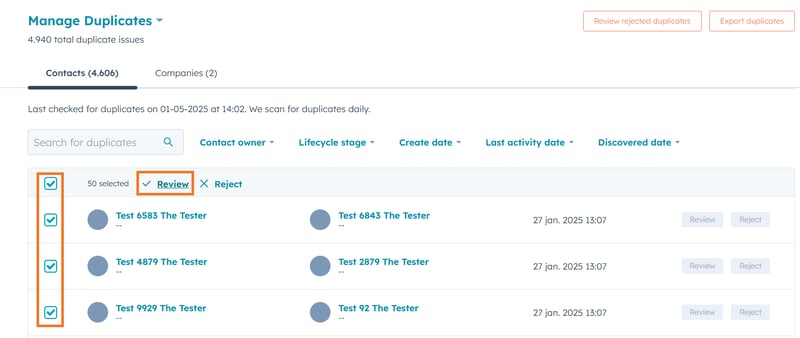
Use the checkboxes to select up to 50 duplicate contacts or companies, then click Review.
-
Choose which record should be the primary contact or company for each pair.
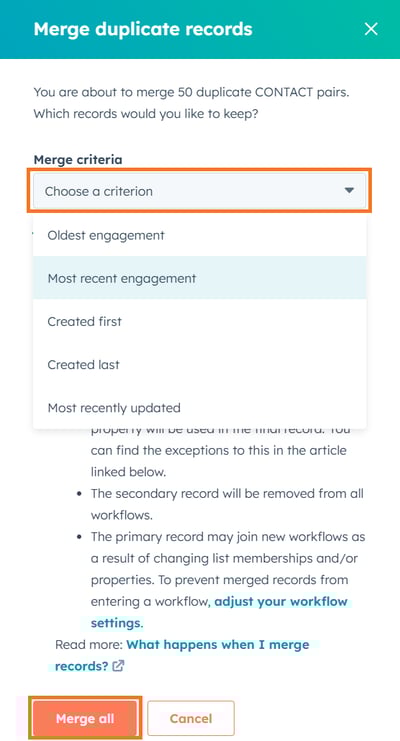
- Click Merge All to complete your bulk merge.
✅ Pros:
-
Speeds up the deduplication process
-
Bulk merge up to 50 contacts or companies in one go
❌ Cons:
- Some duplicate suggestions may be inaccurate, so review each match before merging
- Limited control over which property values are kept
- Supports contacts and companies only, not deals or tickets
- Available on Data Hub Professional or Enterprise only
- Does not work when your portal is connected to Salesforce (the merge button is greyed out). See the Salesforce section below.
How to Auto Merge Duplicates with the Koalify Workflow Action 🤖
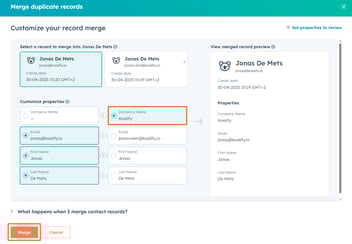
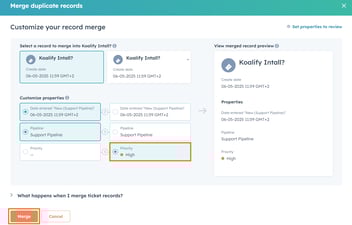
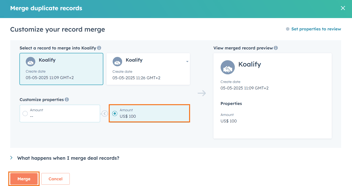
If you want to go beyond 50 merges at a time, want full control on the property values that are retained or need to merge deals in bulk as well? Koalify’s “Merge Duplicate Record” workflow action lets you automate bulk deduplication at scale.
Whether you're doing a one-time cleanup or want to keep your CRM clean automatically, Koalify makes it easy.
Steps:
-
Create a new workflow to merge HubSpot duplicates in bulk
-
Navigate to Automations → Workflows
-
Click Create workflow and select the option From scratch
-
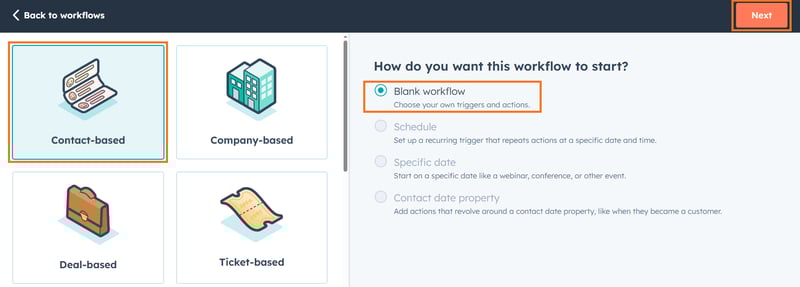
Choose a Contact-, Company-, or Deal-based workflow
-
Start with a Blank workflow and click Next
-
-
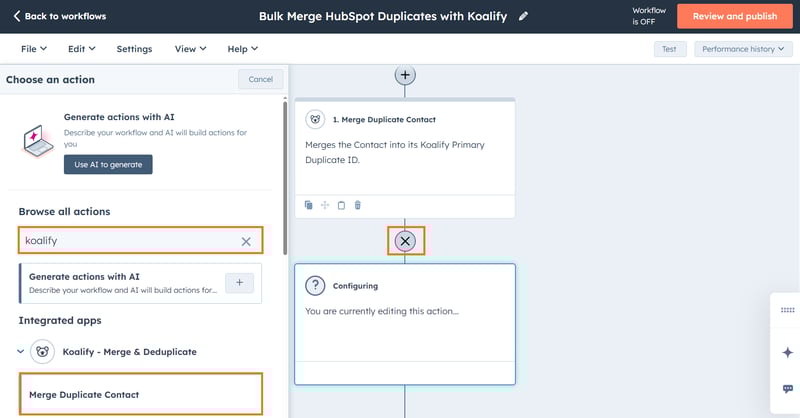
Add the "Merge Duplicate Contact/Company/Deal" action
-
Click on the ➕ plus icon to add a workflow action
-
Search for "Koalify" to find our workflow action
-
Select the appropriate "Merge Duplicate Record" action
-
Click Save
-
-
Enroll records for bulk merging
-
Use manual enrollment for full control (ideal for initial cleanups)
-
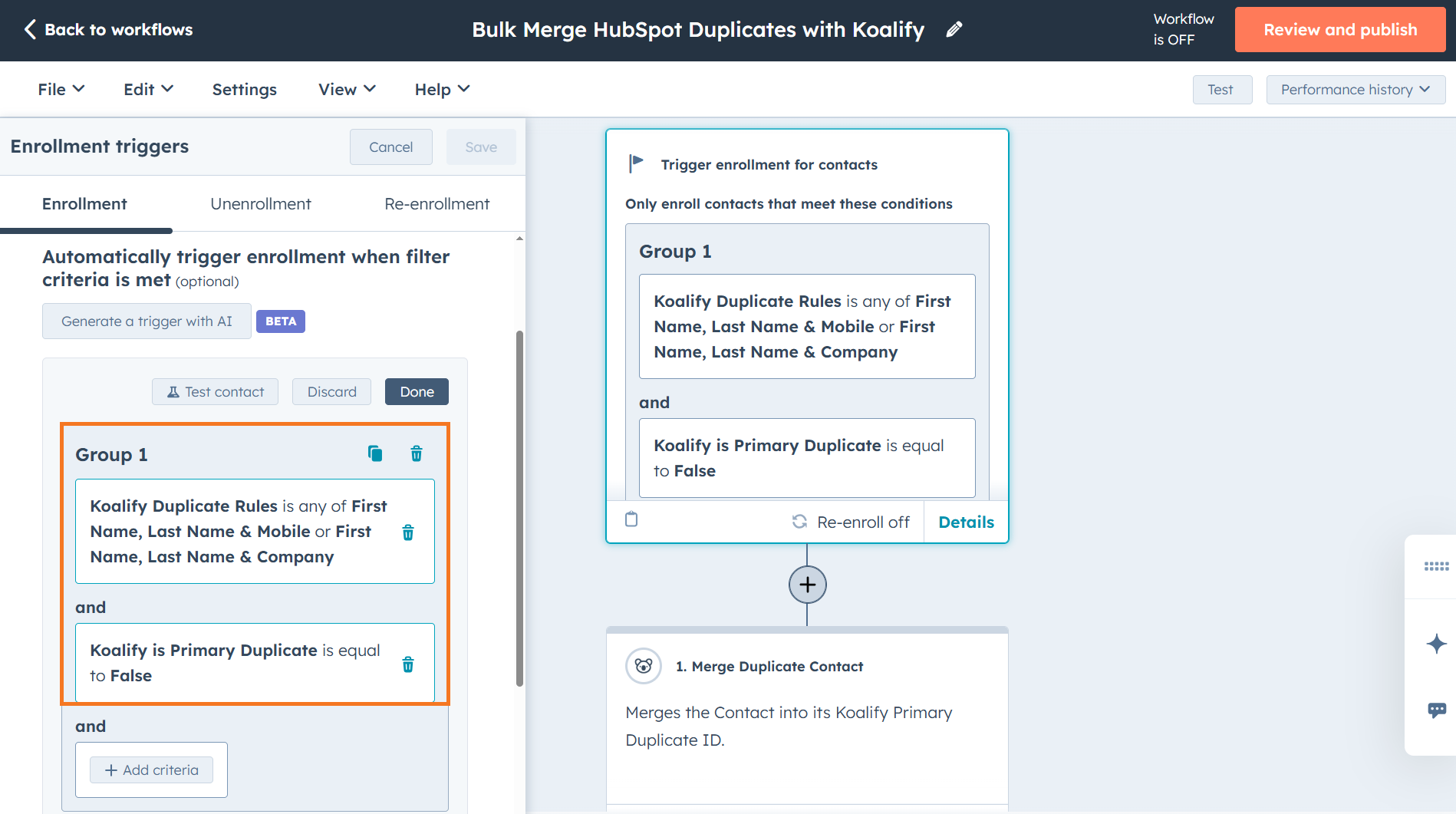
Use enrollment triggers to automatically dedupe records
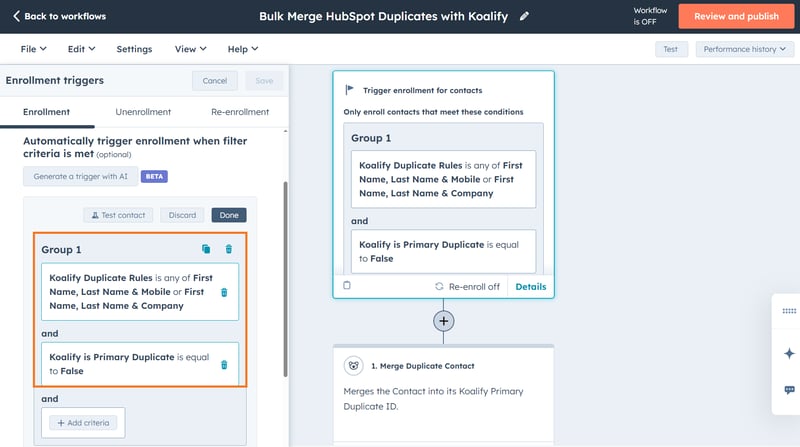
-
When you first set up the workflow, use manual enrolment to bulk merge your existing backlog in one operation. Once that is done, switch to enrolment triggers so that every new record matching your rules is merged automatically as it arrives. This is how you get from "one-time cleanup" to genuine auto merge: the workflow runs in the background continuously, without any manual involvement.
✅ Pros:
-
Unlimited bulk merges (no 50-record limit)
-
Works for contacts, companies, deals, tickets and custom objects
-
Full control over which records to merge and which fields to retain
-
Great for initial clean-ups and ongoing automated deduplication
❌ Cons:
-
Requires access to workflow with at least a Professional-tier Hub (e.g., Marketing, Sales, or Operations Pro)
Conclusion: Scale Your Deduplication the Smart Way
If you're only dealing with a handful of duplicates, HubSpot’s native tools are a fast and effective solution.
But once your CRM starts to scale, manual or limited bulk options won’t cut it.
-
For basic cleanup, HubSpot’s Duplicate Management Tool lets you quickly merge up to 50 contacts or companies at a time.
-
For large datasets or ongoing automation, Koalify’s workflow action offers unlimited bulk merges across contacts, companies, deals, tickets and custom objects with full control over how records are matched and merged.
No matter your CRM size, having a scalable deduplication strategy improves data quality, speeds up team workflows, and ensures you’re always working with clean, accurate records.
👉 Ready to bulk merge beyond HubSpot’s limits?
Try Koalify’s deduplication tools for free and bulk merge your HubSpot data safely, at scale.
The table below compares the most common ways to bulk merge duplicates in HubSpot based on control, scale, and supported record types.
| Merge method | Best for | Supported records | Level of control | Scale limit |
|---|---|---|---|---|
| HubSpot Duplicate Management Tool | Small to medium cleanups | Contacts, Companies | Limited (rule-based primary selection) | Up to 50 records at a time |
| Koalify workflow automation | Large databases and ongoing deduplication | Contacts, Companies, Deals, Tickets, Custom Objects | Full control (rule-based) | Unlimited |