

When working with contact deduplication in HubSpot, one of the most common challenges RevOps teams run into is this: “I want to merge duplicates only when a specific condition exists on the primary record, not on every duplicate.”
This is especially common for SaaS businesses and membership-based models, where properties like a SaaS User ID or Membership Paid Date should determine which record survives a merge.
-
Apply filters only to the primary record
-
Merge all matching duplicates (even if they don’t meet that filter)
-
Maintain full control over which record becomes primary
The Core Problem: Enrollment Criteria vs. Merge Logic
Let’s say your goal is:
-
Ensure the primary contact is the one with a populated SaaS User ID or Membership Paid Date
-
Merge all other HubSpot duplicates into that user or paid contact
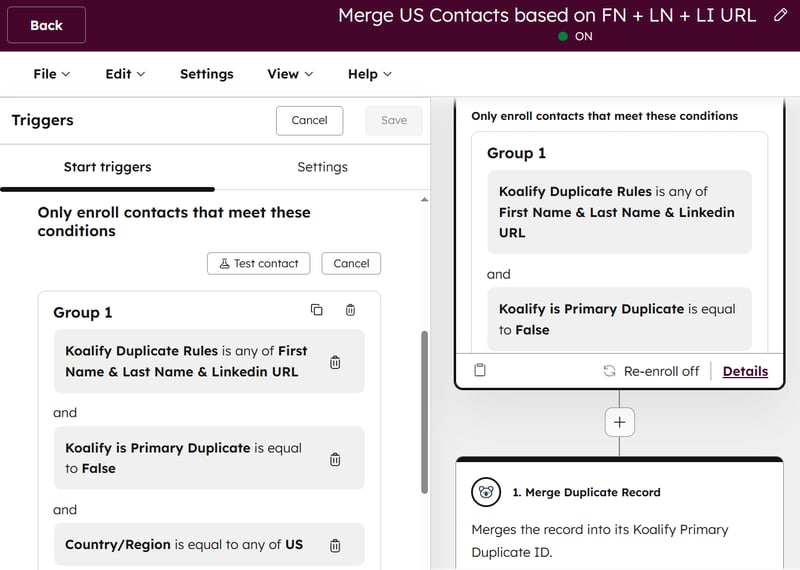
At first glance, this feels simple. HubSpot workflows evaluate enrollment criteria per record, while Koalify merges all non-primary records into the primary record. This works easily when the required filters exist on the non-primary records:
The challenge appears when those filters live only on the primary record.
-
Secondary duplicates that don’t meet the primary-only criteria never enroll
-
The merge action never fires
-
Your deduplication logic stalls
So how do you merge based on a filter criteria that is available on the primary record only?
The Solution: Mark Secondary Records via the Primary Record
The workaround is to temporarily allow the primary record to “tag” its duplicates, then use that tag to control the merge behavior. Here’s how to set it up.
Step A: Configure Koalify Primary Duplicate Rules to Ensure the Right Record Wins
Start by making sure SaaS users or paid members are always identified as the primary duplicate.
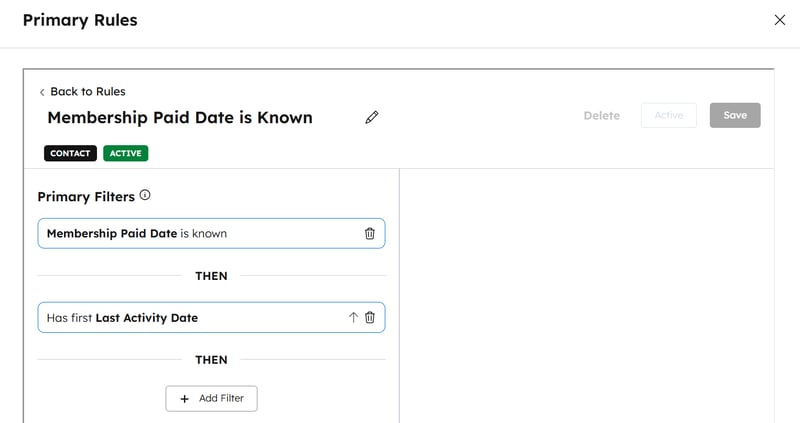
Create a Koalify primary duplicate rule where one (or both) of the following is true:
-
-
SaaS User ID is known
-
Membership Paid Date is known
-
This guarantees that:
-
SaaS Users or Paid members always win the merge
-
Other duplicates are never labelled as primary
Step B: Enroll the Correct Primary Records in a Workflow That Identifies Which Duplicates Should Be Merged
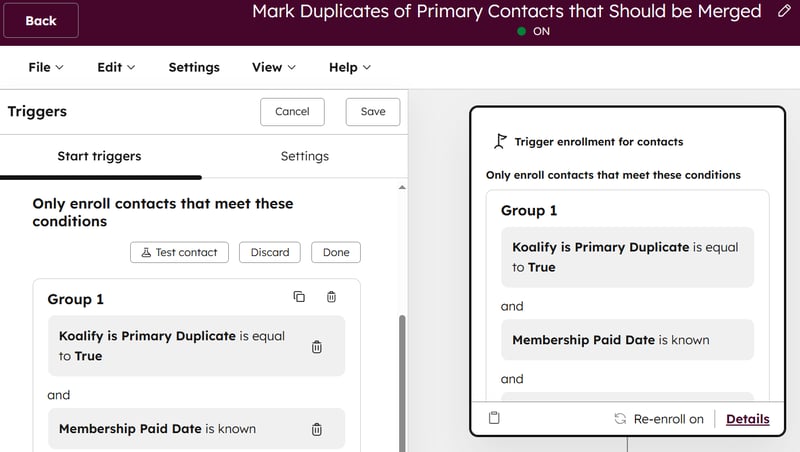
Enrollment criteria of the workflow
-
Koalify Is Primary Duplicate =
True -
SaaS User ID is known OR Membership Paid Date is known
These are the authoritative records that should absorb non-primary duplicates .
Step C: Temporarily Associate Non-Primary Duplicates So the Primary Record Can Reach Them
-
Create associations between the enrolled (primary) contact and its duplicates
-
Object: Contact → Contact
-
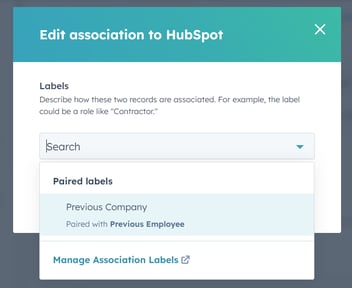
Association label: Duplicates (here is how to create a new association label)
-
Match on: Koalify Primary Duplicate ID
-
This temporary association allows the primary record to “reach” its related duplicates.
%20contact%20and%20its%20duplicates.png?width=800&height=554&name=Create%20associations%20between%20the%20enrolled%20(primary)%20contact%20and%20its%20duplicates.png)
Step D: Mark Non-Primary Records That Should Be Merged Into the Primary Record
Now that the duplicates are associated:
-
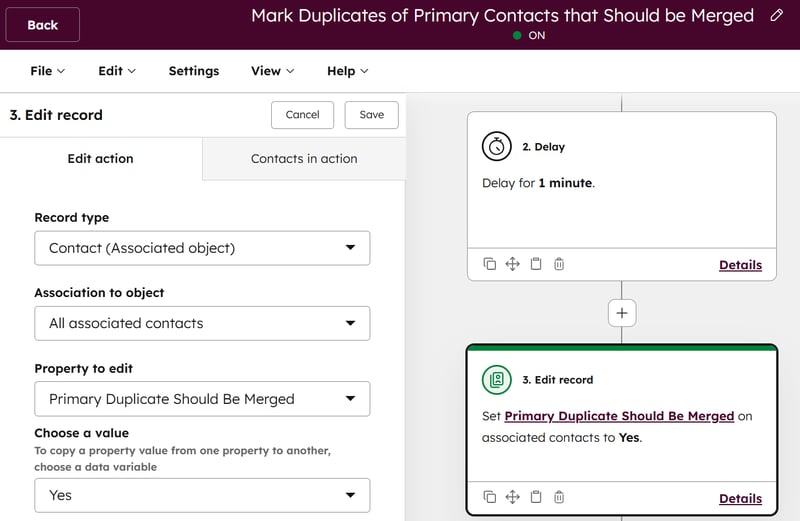
Set a custom property on the associated contacts, for example:
Primary Duplicate Should Be Merged =Yes
This property is written only on the secondary records, even though the workflow is enrolled by the primary one.
Step E: Remove the Temporary Associations to Restore Koalify Duplicate Detection
Once the property is set:
-
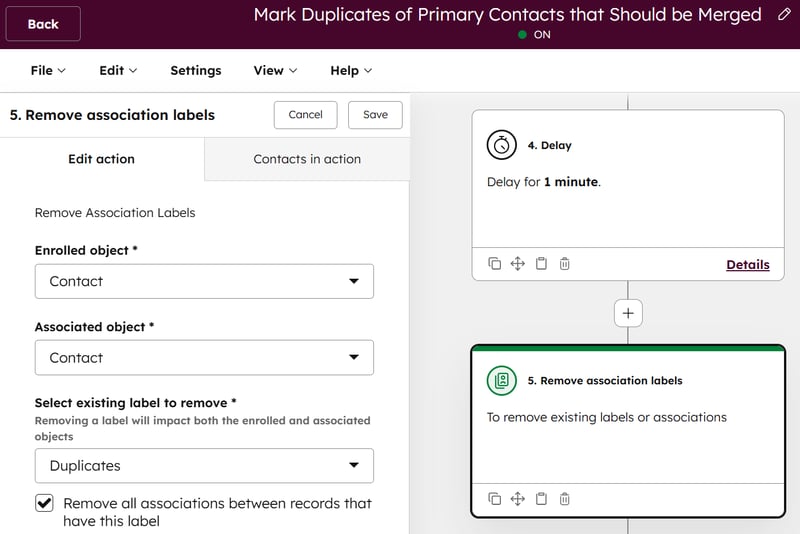
Remove the Duplicates association
Why this matters:
-
Koalify ignores associated records when detecting duplicates
-
Removing the association allows Koalify to re-detect them correctly
Step F: Merge the Selected Non-Primary Records Into Their Primary Counterparts
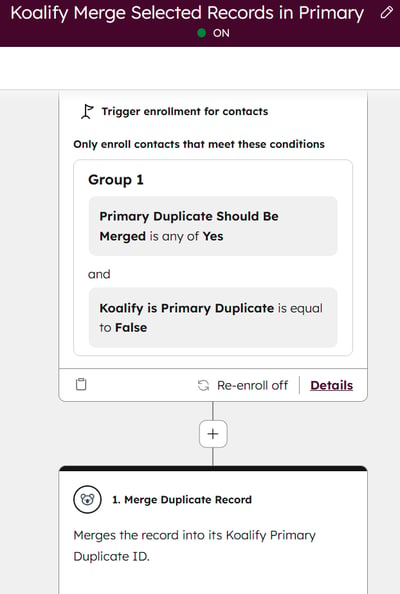
Create a second workflow with these enrollment criteria:
-
Primary Duplicate Should Be Merged =
Yes -
Koalify Is Primary Duplicate =
False
This workflow can now safely:
-
Merge the secondary duplicates via the Koalify workflow action
-
Automatically select the SaaS Users or Paid member as primary
-
Ignore whether the secondary records have a SaaS User ID or Membership Paid Date
Final Thoughts
Merging duplicates using filter criteria on non-primary records is straightforward with Koalify. When your logic depends on a filter that’s only available on the primary record, this small workaround is required.
By allowing the primary record to temporarily control the merge eligibility of its duplicates, you get the best of both worlds:
-
Strong data governance
-
Fully automated deduplication
-
Zero guesswork in primary selection
If you’d like help setting this up, or want us to review your duplicate rules, just reach out. We’re always happy to help. 🚀