

You already know you have duplicate records. You probably have a rough sense of how many. What you might not have added up is what they're actually costing you — in hours spent on manual merging, in HubSpot Marketing Contact bills inflated by records that shouldn't exist, and in a sales team that has quietly stopped trusting the CRM.
This post puts real numbers to each of those costs. By the end, you'll be able to work out roughly what your duplicate problem is costing your organisation and decide whether fixing it is worth prioritising this quarter.
Spoiler: it almost always is.
.png?width=1536&height=1024&name=What%20HubSpot%20duplicates%20are%20actually%20costing%20you%20(and%20how%20to%20calculate%20it).png)
The three costs of duplicate records in HubSpot
Duplicate contacts and companies create problems across three distinct areas.
Most buyers focus on just one. The full picture tends to be more compelling.
1. The time cost: manual merging is slower than you think
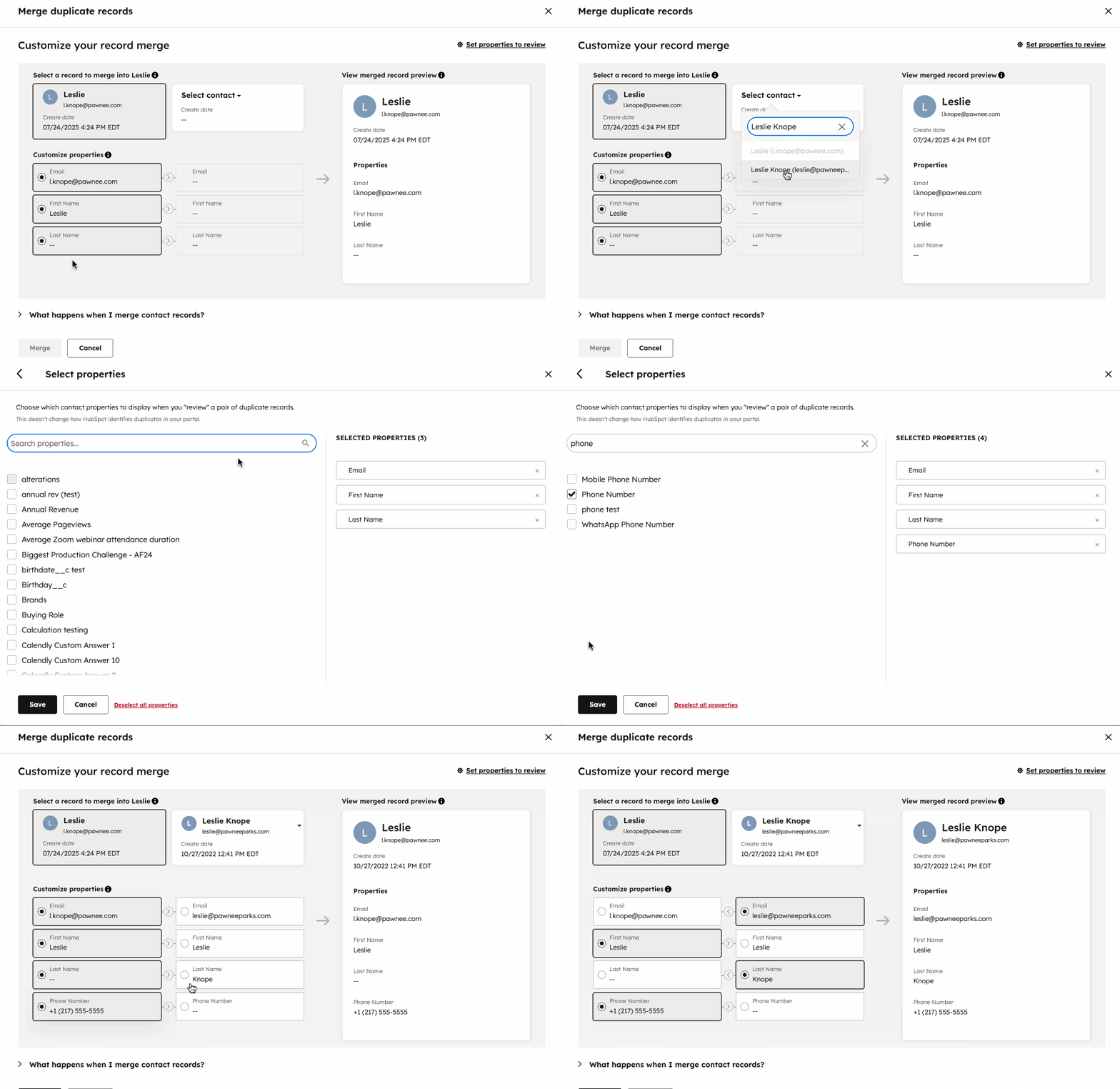
If you're handling duplicates by hand — opening records, comparing fields, selecting a winner, hitting merge — you're moving at roughly two records per minute when you're going quickly. That's about 120 merges an hour.
Run those numbers against a real backlog:
- 1,000 duplicates: ~8 hours of focused manual work
- 5,000 duplicates: ~42 hours — more than a full working week
- 10,000 duplicates: ~83 hours
- 50,000 duplicates: ~417 hours — more than 10 working weeks
That's just to clear the existing backlog. Without a system in place, new duplicates arrive every day from form submissions, integrations, and data imports. The queue never stops growing.
Manual merging also isn't passive work. It requires focus. Every record you touch is a context switch — time you're not spending on campaign planning, pipeline reporting, or the strategic work you were hired to do.
2. The budget cost: duplicate records inflate your HubSpot Marketing Contacts bill
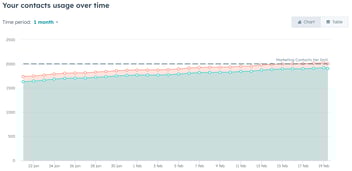
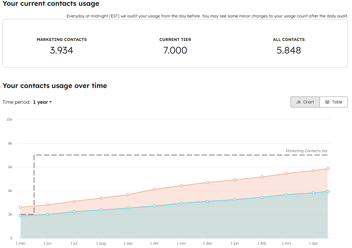
HubSpot charges for Marketing Contacts — any contact that is set as a marketing contact or that receives a marketing email. If you have duplicate contacts, a meaningful percentage of those records are inflating your count.
Here's a rough way to estimate your exposure:
- Take your total HubSpot contact count
- Estimate your duplicate rate (10% is typical for databases active for more than a year)
- Apply that percentage to your Marketing Contacts count
- Check how close that number gets you to a pricing tier threshold
If you're paying for 50,000 Marketing Contacts and 15% of your database is duplicates, you're carrying roughly 7,500 contacts you're paying for that shouldn't exist. Whether that pushes you into a higher tier depends on your specific plan — but it's worth checking.
The effect compounds if your duplicate problem is driven by data enrichment tools. When Apollo, Clay, or a phone integration creates a new record instead of updating an existing one, that new record can be marked as a marketing contact — and billed — without anyone noticing.

3. The trust cost: the hardest to quantify, and often the most damaging
The third cost doesn't appear on any invoice. But it shapes how effective your entire go-to-market motion is.
When your CRM has duplicates, your sales team learns to distrust it. They stop relying on contact records because they've been burned before — calling a prospect twice, getting transferred to the wrong person, pitching a company that's already a customer. After a few incidents, they start keeping notes in spreadsheets, in email, in their heads.
The pipeline visibility problem that comes with duplicate company records is just as damaging. If a key account appears 15 times in your CRM, the deals associated with that account are scattered across 15 records. Pipeline analysis becomes close to meaningless. You can't prioritise accounts you can't see clearly.
If your sales team can't trust the data, they can't prioritise accounts effectively. If marketing can't trust the contact list, segmentation breaks and campaigns either over-target or miss entirely. These aren't edge cases — they're the normal operating conditions for a CRM with an unmanaged duplicate problem.

4. The customer experience cost: duplicates your team sees, your customers feel
When a contact exists twice in your CRM, your team picks one record to work from. The other one quietly accumulates activity — form fills, email opens, support tickets — that nobody sees.
The result is a customer who gets a renewal email three days after they raised an unresolved support ticket. Or a prospect who gets a cold outreach from sales the week after they already signed a contract. Or someone who has to repeat their company details to three different people because none of them were looking at the same record.
These aren't system errors your customers can see. They just experience the outcome: a company that doesn't seem to know who they are.
For B2B teams where relationships matter — where a single account might represent years of revenue — that kind of friction compounds. It's hard to attribute it to a data problem when it happens. It just feels like poor handoffs, or a disorganised team, or a company that isn't paying attention.
The data problem is the root cause. The customer experience is where it surfaces.

What does your duplicate problem actually cost?
Here's a simple framework to put a number to it.
Time cost
Your duplicate count ÷ 120 = hours of manual work remaining. Multiply by your hourly rate (or equivalent salary rate) for a rough cost figure.
Budget cost
Check your HubSpot contact count. Apply a 10–25% duplicate rate estimate. See how many of those would be Marketing Contacts. Compare to your current tier and the next one down.
Trust cost
This one's harder to quantify but easier to diagnose. Ask yourself:
- Does your sales team trust the account data in HubSpot?
- Have campaigns been pulled or delayed because the contact list couldn't be trusted?
- Is your pipeline reporting meaningful, or do reps quietly dismiss it?
If you answered yes to any of these, the cost is real — even if it's not on a line item.
Customer experience cost
This one's almost impossible to put a number to — but it's worth a quick audit. Ask yourself:
- Have customers ever received outreach about something they already actioned?
- Has anyone on your team had to apologise because they didn't have the full picture on an account?
- Do your CS or sales handoffs rely on tribal knowledge rather than CRM data?
If your team is working around the CRM rather than through it, your customers are already feeling it.
Why the problem compounds over time
Duplicate records don't stay static. They multiply.
Every new integration you add — a phone dialler, an enrichment tool, a migration from another CRM — is a potential source of new duplicates if it doesn't match against existing records before creating new ones. Every form submission from a contact with a slightly different email address creates a new record. Every import from a spreadsheet that doesn't check for existing entries adds to the pile.
Without ongoing deduplication, the backlog grows faster than you can clear it manually. At a certain point — usually somewhere around 1,000–5,000 confirmed duplicates — the manual approach stops being viable and the problem starts to own you rather than the other way around.
What fixing it actually looks like
The good news is that clearing a duplicate backlog and putting ongoing prevention in place is faster than most people expect.
The approach is consistent: set your matching rules, run a bulk cleanup on the existing backlog, then connect a HubSpot workflow to catch new duplicates automatically as they arrive. Teams that have gone through this process typically clear backlogs of tens of thousands of records in a matter of hours — not weeks.
Once the workflow is running, you don't have to touch it. New records are checked on creation and matched against existing ones. Duplicates get merged automatically, in the background, using the rules you defined. The CRM stays clean without a recurring time investment.
That's the shift most people describe as the real value: not just clearing the backlog, but getting out of the maintenance loop entirely. Set it and forget it.
If you want to understand your options before committing to a tool, the best deduplication tools for HubSpot comparison covers the main alternatives side by side. If you've been relying on HubSpot's native functionality, it's worth reading the full breakdown of HubSpot's native duplicate management versus a dedicated tool. And if you want the full framework for getting to zero duplicates, the complete guide to how to deduplicate HubSpot covers every step.
Frequently asked questions
How do I find out how many duplicates I actually have in HubSpot?
HubSpot's native tool (Contacts > Actions > Manage Duplicates) shows a sample of suggested duplicates, but it doesn't give you a full count or let you act on them in bulk. For a complete picture, Koalify shows the total number of duplicates across contacts, companies, deals, and tickets — broken down by the matching rule that flagged them. You can see the full scale of the problem before committing to any merges.
Does fixing duplicates actually reduce my HubSpot Marketing Contacts bill?
It can, but it depends on how your contacts are classified. Merging duplicate contacts doesn't automatically change a contact's marketing status — it consolidates two records into one. If both duplicates were marked as Marketing Contacts, merging them reduces your count by one. The more duplicates you have in your marketing-eligible pool, the more meaningful the reduction. It's worth auditing your Marketing Contact settings after a bulk cleanup to confirm the count has dropped.
Is it safe to merge in bulk? What if I make a mistake?
This is the most common concern. Bulk merging is not reversible in the same way a single record edit is — once records are merged, the secondary record is gone. The safeguard is in the rules you set before you merge. Koalify lets you review the full list of flagged duplicates before anything is merged, and you can filter by confidence level or matching criteria. Most teams start with their highest-confidence matches — exact email matches, for example — before moving to fuzzier criteria. Taking a HubSpot backup before running a bulk merge is also worth doing the first time.
What's the difference between a one-time cleanup and ongoing deduplication?
A one-time bulk cleanup removes the records that already exist. Ongoing deduplication prevents new ones from accumulating. You need both. Without ongoing prevention, the backlog returns — usually faster than you expect if you have active integrations or regular data imports. Most teams get the initial cleanup done in a day or two, then leave a workflow running indefinitely to catch new duplicates as they arrive.
See how many duplicates you have right now
Koalify has a free trial and takes about five minutes to install. You'll get a full duplicate count across all object types before you decide whether to act on anything.