

If you are migrating HubSpot portals, the migration itself is only part of the job.
The other part is making sure the data is still clean and usable once it reaches the destination portal.
That is why deduplication matters in almost every HubSpot portal migration project.
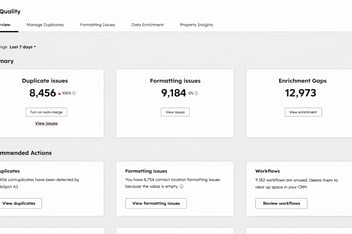
For HubSpot admins and HubSpot partners, this is usually where things get complicated. It is one thing to move records from one HubSpot portal to another. It is another thing to deal with duplicate contacts, duplicate companies, split history, and inconsistent records once both datasets come together.
A good migration project needs both:
- a reliable way to migrate HubSpot data and setup between portals
- a clear plan to deduplicate records before or after the migration
That is why this is such a strong combination:
- The HubSpot Portal Migration Suite helps migrate HubSpot data, schemas, and related assets between portals
- Koalify helps clean up duplicate records as part of migration prep and post-migration cleanup
Why duplicates become a problem when migrating HubSpot portals
Duplicate records already happen in a single portal.
But during a portal migration, they become much harder to ignore.
That is because two portals often contain overlapping records created by different teams, regions, brands, or business units. One portal may have the cleaner company data. The other may have better deal history, workflows, or associations.
You might end up with records like:
- Acme Ltd
- Acme US
- Acme
Those may all refer to the same company. But they may not match perfectly enough for a simple duplicate rule to catch them automatically.
That is why portal migration is not just a data move. It is also a data quality project.
Why use a dedicated HubSpot migration solution
When you are migrating between HubSpot portals, manual exports and imports usually create extra work.
You have to worry about properties, associations, history, filtering, setup, and what happens in the destination portal.
Datawarehouse.io’s HubSpot Portal Migration Suite is built specifically for this use case. They describe the product as a way to migrate, replicate, and sync HubSpot data and schemas between HubSpot accounts. he suite includes four tools:
-
HubSpot to HubSpot Portal Migrator
-
HubSpot Schema Replicator
-
HubSpot Portal Toolkit
-
Portal Sync.
That matters because different migration projects need different levels of control.

The main benefits of the HubSpot Portal Migration Suite
For HubSpot admins and partners, the value of the suite is that it goes beyond a basic record transfer.
1. It is built specifically for HubSpot-to-HubSpot migrations
The HubSpot to HubSpot Portal Migrator is designed to move HubSpot data from a source portal to a destination portal while leaving the source portal untouched. Datawarehouse.io also says there is no field mapping required and no need to manually create properties in the destination portal.
That is a major benefit when you are trying to reduce migration risk and save admin time.
2. It migrates more than just contacts and companies
The migrator supports a wide set of HubSpot records and setup items, including contacts, companies, leads, deals, tickets, workflows, pipelines, custom objects, engagements, lists, associations, files, currencies, and custom properties.
For admins and partners, that is important because portal migrations usually affect far more than just CRM records.
3. It gives you more control over what moves
The migration suite supports options like brand and pipeline filtering, as well as migrating specific properties and property groups. The Portal Toolkit adds more advanced capabilities such as a customizable migration schema, staging mode, saved change sets, workflow filtering, form filtering, and custom object migration and filtering.
That is especially useful for partners handling complex client portals or enterprise teams working in multi-brand environments.
4. It supports different migration scenarios
Not every project is a one-time migration.
Some teams need to copy only setup. Some need recurring portal-to-portal movement. Some need sandbox, QA, or partner use cases.
The suite covers those scenarios with:
- Schema Replicator for copying HubSpot setup like workflows, properties, pipelines, association labels, campaigns, and custom objects without moving record data
- Portal Toolkit for advanced migrations, cloning, staging, sandbox use, and recurring migration work for enterprise customers and partners
- Portal Sync for continuous or scheduled sync between portals, including selective sync and support for syncing data between up to 1000 portals
That makes the suite easier to position because it is not just a one-off migration app. It is a broader solution for multi-portal HubSpot operations.

Where deduplication fits into that process
A migration solution helps move the data. Deduplication helps make the result usable.
That is where Koalify fits naturally into the portal migration story.
In many migration projects, duplicate cleanup happens in one of two places:
Before the migration
This is where you reduce obvious duplicates before moving data into the destination portal.
That helps avoid migrating unnecessary clutter.
After the migration
This is often where the most valuable cleanup happens.
Once records from multiple portals live in the same destination portal, it becomes much easier to spot overlaps that were hidden before.
This is especially useful when:
- company names are slightly different
- contacts exist under different email addresses
- one portal used a parent company name and another used a local entity
- duplicate records only become visible once all associations and history are in one place
That is why deduplication should not be treated as separate from migration. It is part of migration prep and part of post-migration cleanup.
Why this matters for HubSpot partners
If you are a HubSpot partner, clients rarely judge a migration by one question alone: “Did the data move?”
They usually judge it by a better question:
“Does the new portal actually work better now?”
That is why the HubSpot Portal Migration Suite is a strong solution to link to. It gives partners a purpose-built way to handle complex HubSpot-to-HubSpot migrations, schema replication, sandbox work, recurring portal changes, and selective sync scenarios.
And from there, Koalify becomes an easy next step in the story:
- migrate the data with the right portal migration solution
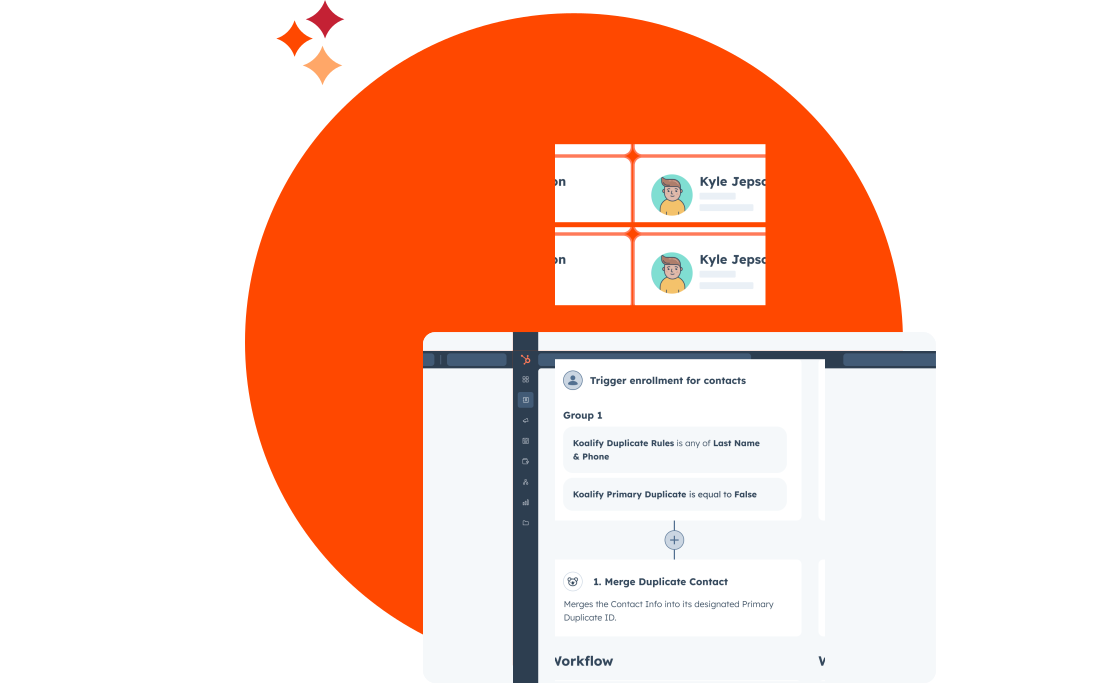
- deduplicate and clean the resulting data with Koalify
That is a much stronger message than talking about migration as a simple export/import exercise.
Why this matters for HubSpot admins
For admins, the biggest risk in a portal migration is not always the migration itself.
It is what happens after.
If the destination portal ends up with duplicate companies, duplicate contacts, messy associations, and reporting issues, users lose trust in the CRM very quickly.
That is why a dedicated migration tool helps so much. The Datawarehouse.io suite is built to reduce manual setup, support a wide range of HubSpot objects and schema, and give admins more control over what gets migrated and how.
Then deduplication helps finish the job by cleaning up the overlap that even a well-run migration can surface.
The takeaway
If you are migrating HubSpot portals, deduplication should not be an afterthought.
The migration gets the data into the destination portal.
The deduplication work helps make sure that destination portal is actually clean, trustworthy, and ready to use.
That is why Deduplicating Data When Migrating HubSpot Portals is such a strong angle.
It gives you a practical way to talk about the full project:
- the HubSpot Portal Migration Suite as the purpose-built migration solution
- Koalify as the deduplication layer that helps with migration prep and cleanup