

If you are a HubSpot admin and use ZoomInfo, you have probably heard some version of this:
“ZoomInfo is creating duplicates in HubSpot.”
That is sometimes true, but not in the way most teams think.
The important distinction is this:
- ZoomInfo Enrich for HubSpot is mainly designed to enrich existing HubSpot records. ZoomInfo describes Instant Enrich as adding insights to contacts and companies as they are created in HubSpot, and recommends standard HubSpot fields be set to Complete if missing.
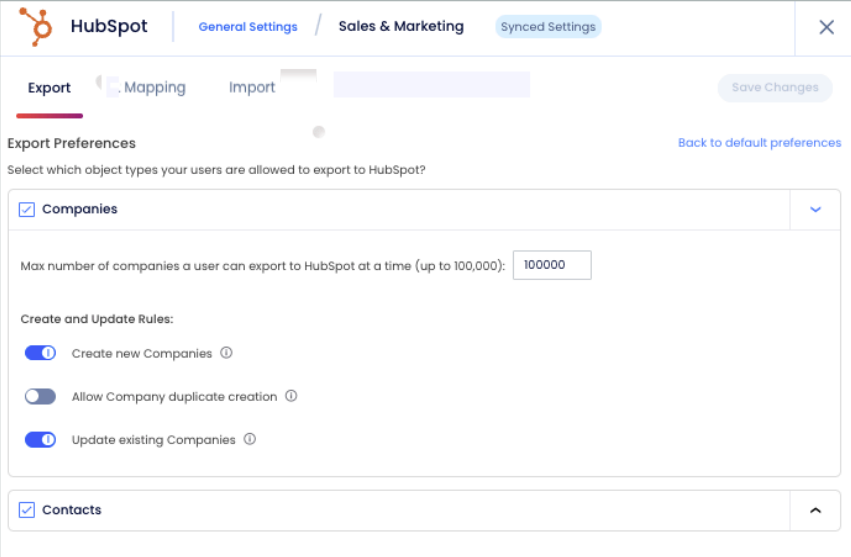
- ZoomInfo exports into HubSpot can create new contacts and companies, which is where duplicates usually happen. ZoomInfo’s HubSpot integration guide explicitly covers export preferences, net-new record ownership, duplicate checking, and user choices during export.
So if you are trying to understand ZoomInfo duplicates in HubSpot, the real issue is usually not the default Enrich app. The bigger risk is how ZoomInfo records are matched, exported, and re-imported into HubSpot.
Does ZoomInfo create duplicates in HubSpot?
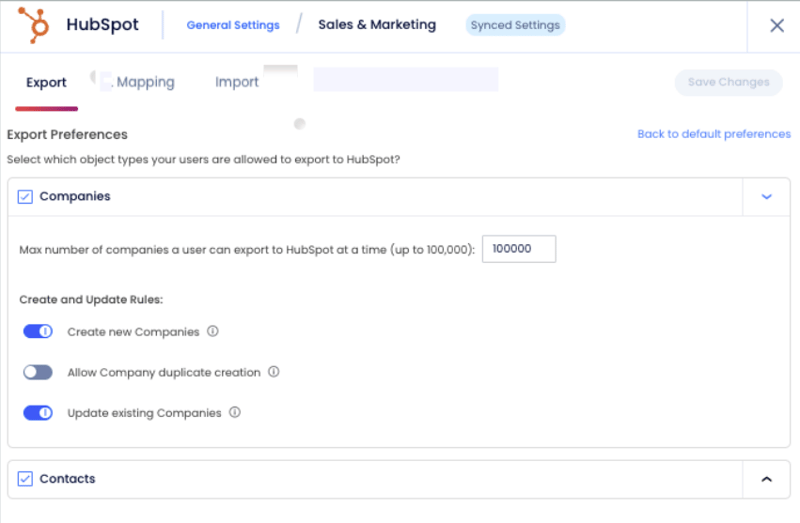
Yes, ZoomInfo can create duplicates in HubSpot, especially when users export contacts or companies from ZoomInfo into HubSpot. ZoomInfo says that during export, duplicates are flagged and users may be allowed to update an existing record, create a duplicate record, or not export the record, depending on admin settings.
But ZoomInfo Enrich alone is less likely to be the cause. ZoomInfo’s Enrich workflow is primarily built to update records that already exist in HubSpot, not create brand-new ones.
That is why many HubSpot admins see duplicate issues only after:
- reps export records from ZoomInfo directly into HubSpot,
- company domains or contact emails are missing in HubSpot,
- HubSpot already contains messy or inconsistent company data,
- or teams do manual CSV enrichment workflows without using Record ID properly.
Why ZoomInfo creates duplicates in HubSpot
1. ZoomInfo export matching is limited
ZoomInfo checks for existing HubSpot matches using a narrow set of rules:
- Companies: company domain
- Contacts: email first, then first name + last name + exact company name
That sounds reasonable, but it breaks down quickly in real HubSpot portals.
For example:
- the contact in HubSpot may have a different email,
- the company name may be formatted differently,
- the company may be missing a domain,
- the portal may already contain duplicate company records.
In those cases, ZoomInfo may fail to match the existing record and create a new one instead.
2. HubSpot’s own deduplication is limited too
HubSpot’s native deduplication is also narrow:
- contacts are deduplicated by email,
- companies are deduplicated by company domain.
So if the email or domain does not match exactly, HubSpot may not stop the duplicate either.
There is one extra nuance HubSpot admins should know: HubSpot says companies created through the API, including installed third-party sync apps, are not deduplicated by company domain name in the same way.
This is why ZoomInfo duplicates in HubSpot can be so common: both systems rely heavily on clean, exact-match identifiers.
3. Bulk enrichment workflows can also create duplicates
A lot of ops teams use ZoomInfo in a manual enrichment workflow:
- export records from HubSpot,
- enrich them in ZoomInfo,
- import them back into HubSpot.
This can work well, but only if the records are imported back using HubSpot Record ID or another reliable unique identifier. HubSpot says that if you do not include company domain or another unique ID in a company import, each row will import as a new company.
If the enriched CSV is imported without matching on Company ID or Contact ID, HubSpot may create new records instead of updating the originals. At that point, the duplicate problem looks like a ZoomInfo issue, but the real cause is the import process. This is an operational inference based on HubSpot’s import deduplication rules.
When ZoomInfo usually does not create duplicates
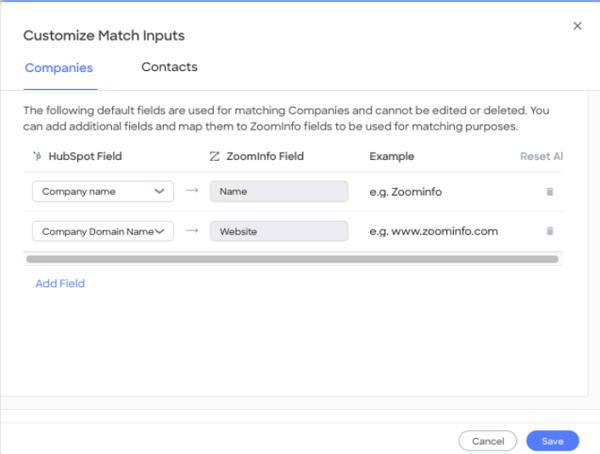
If you are using ZoomInfo Enrich for HubSpot to enrich existing contacts and companies already in HubSpot, duplicate creation is much less likely. ZoomInfo’s guide describes Enrich as a matching and update workflow, and lets admins add additional match inputs to improve matching. It also says you cannot remove or edit the default match inputs, only add to them.
That does not mean it is impossible. If your portal already has duplicates, weak matching fields, or poor field mapping, enrichment can still make things messier.
But in most cases, ZoomInfo duplicates in HubSpot are more of an export problem than an Enrich problem.
The most common duplicate patterns HubSpot admins see
Duplicate contacts
Usually caused by:
- different or missing work email addresses,
- exports from ZoomInfo when the existing HubSpot record is not matched,
- manual imports to enrich that do not use the HubSpot Contact ID,
- inconsistent company naming on the contact record.
Duplicate companies
Usually caused by:
- missing company domain name,
- outdated or inconsistent domain values,
- multiple HubSpot companies representing the same business,
- HubSpot auto-creating companies from imported email domains,
- CSV imports that create new records instead of updating existing ones because the HubSpot Company ID is missing.
How to prevent ZoomInfo duplicates in HubSpot
If you are the HubSpot admin, this is the practical fix list.
1. Clean your matching fields first
Before scaling ZoomInfo usage, make sure your HubSpot data is solid:
- primary business email is populated correctly,
- company names are reasonably consistent,
- Company domain name is filled in and standardized,
- existing duplicates are reduced first.
If email and domain are weak, duplicate creation becomes much more likely.
2. Separate enrichment from net-new creation
Treat these as two different workflows:
- enrich existing records,
- create net-new records.
That sounds obvious, but many teams blur the two. If users are exporting from ZoomInfo into HubSpot, that is not just enrichment, that is record creation, and it needs controls.
3. Tighten ZoomInfo export settings
Review the duplicate and export settings in ZoomInfo. If users can still create duplicates when a potential match exists, you are going to get duplicates.
4. Use Record ID for batch enrichment
If you are doing HubSpot → ZoomInfo → HubSpot round-trips:
- export HubSpot records with HubSpot's Company ID or Contact ID,
- preserve those IDs through ZoomInfo,
- import back as updates, not net-new records.
This is one of the most important controls a HubSpot admin can put in place. HubSpot’s import rules make clear that without a reliable unique identifier, new records can be created instead of existing ones being updated.
5. Review HubSpot’s company auto-creation settings
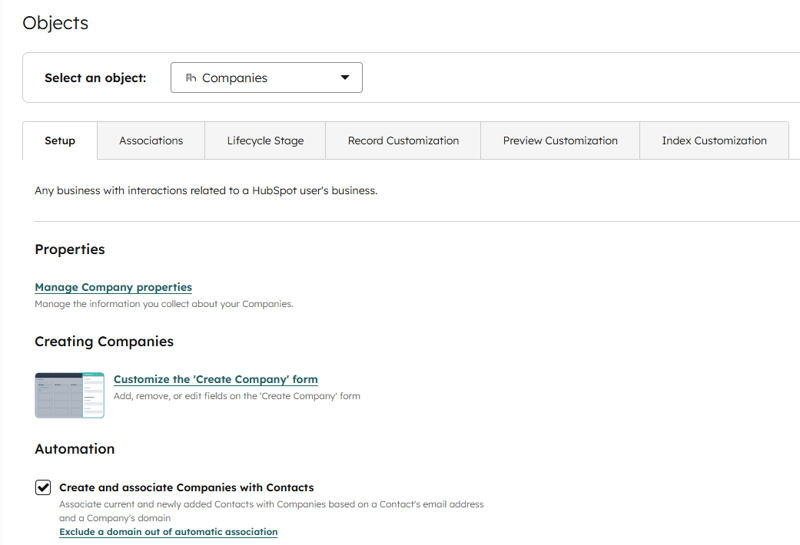
If HubSpot is automatically creating and associating companies from contact email domains, make sure that actually fits your CRM model. HubSpot lets admins enable or disable this behavior, and with the setting off, companies will not be automatically created or associated based on email address and company domain.
For some teams it helps. For others, it adds duplicate company clutter.
How to find and merge ZoomInfo duplicates in HubSpot
Even with better settings, some duplicates will still get through.
That is where Koalify comes in. Koalify helps HubSpot admins find and merge ZoomInfo duplicates in HubSpot before they start causing problems in routing, attribution, reporting, lifecycle stages, and sales workflows.
This is especially useful for duplicate patterns like:
- the same contact created under two different email addresses,
- the same company created with slightly different names,
- duplicate companies caused by missing or inconsistent domains,
- duplicates introduced by ZoomInfo exports or CSV round-trips.
If you want to handle this more systematically in HubSpot, Koalify is a strong fit.
A practical setup looks like this:
Duplicate rules
- find duplicates using any HubSpot property, not just one default identifier
- compare records using fields like email, LinkedIn URL, company domain, company name, website, phone number, or custom properties
Fuzzy matching
- catch duplicates even when company names are not an exact match
- detect cases like Acme, Acme Inc, and Acme, Inc.
- reduce false negatives caused by formatting differences, naming variations, or inconsistent CRM hygiene
Primary duplicate rules
- define which record should be kept as the primary record
- avoid keeping the weaker ZoomInfo-created duplicate when a richer HubSpot record already exists
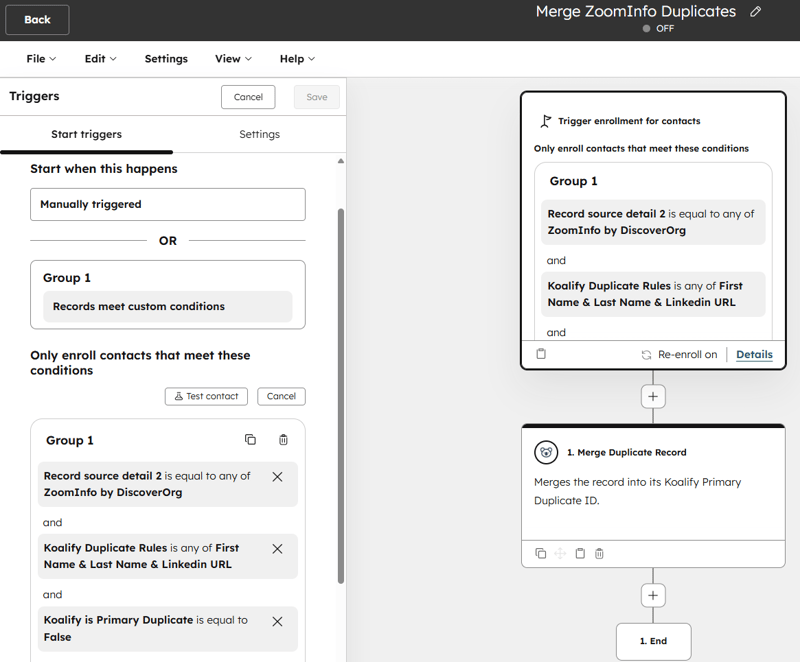
Workflow automation with Koalify
- use Koalify’s Merge Duplicate Record workflow action to merge duplicates automatically
- trigger merges after imports, enrichment projects, or ZoomInfo exports
For most HubSpot admins, the goal is not just to stop duplicates completely. It is to:
- prevent as many as possible,
- then systematically find and merge the duplicates that still slip through.
Final takeaway
If you are searching for ZoomInfo duplicates in HubSpot, here is the clearest answer:
- ZoomInfo Enrich is usually not the main cause,
- ZoomInfo exports into HubSpot are where duplicates usually happen,
- the biggest root causes are weak matching fields, limited dedupe rules, permissive export settings, and imports that do not use Record ID.
For HubSpot admins, the playbook is simple:
- clean email and domain data,
- control ZoomInfo exports,
- use Record ID for bulk enrichment,
- and use Koalify to find and merge the duplicates that remain.
That is the most practical way to keep ZoomInfo useful without letting it create CRM chaos.