

One of the most common HubSpot data questions is also one of the most important:
Should these companies be merged, or should they be associated?
Two company records may look similar because they share a brand name, website, or parent organization. But the right choice depends on whether they are true duplicates or separate parts of a larger organization.
That decision affects reporting, ownership, automation, and account visibility. In this guide, we’ll share a simple framework for deciding when to merge companies in HubSpot and when to associate them instead.
The short version
Use merge when the records represent the same company for your go-to-market motion.
Use associations when the records represent different parts of the same organization and that structure matters to sales, service, reporting, or operations.
A good way to think about it is this:
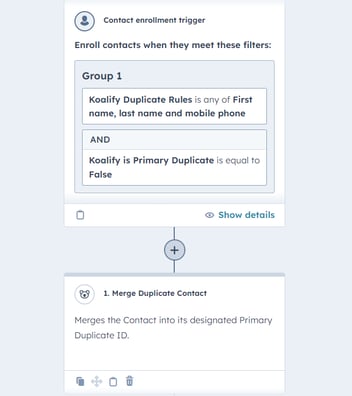
- Merge simplifies duplicate records.
- Associate preserves organizational context.
When merging is the better option
Merging companies is the easiest solution when you only care about selling into the headquarters or head office of a company.
Let’s say you are targeting Microsoft or Amazon, but your team does not care about the individual subsidiaries, divisions, or office locations. In that case, maintaining separate company records for every related entity often creates more complexity than value.
If your team is really managing one top-level account, one clean company record is often the best setup.
Merge when:
- your reps only sell into the HQ or head office;
- separate divisions do not need separate ownership;
- regional offices are not managed as separate accounts;
- you do not need reporting by subsidiary, business unit, or location;
- multiple records are effectively clutter around one account strategy.
In those cases, merging gives your team a simpler CRM view and reduces the noise that comes from duplicate-looking records.
Example: when merge makes sense
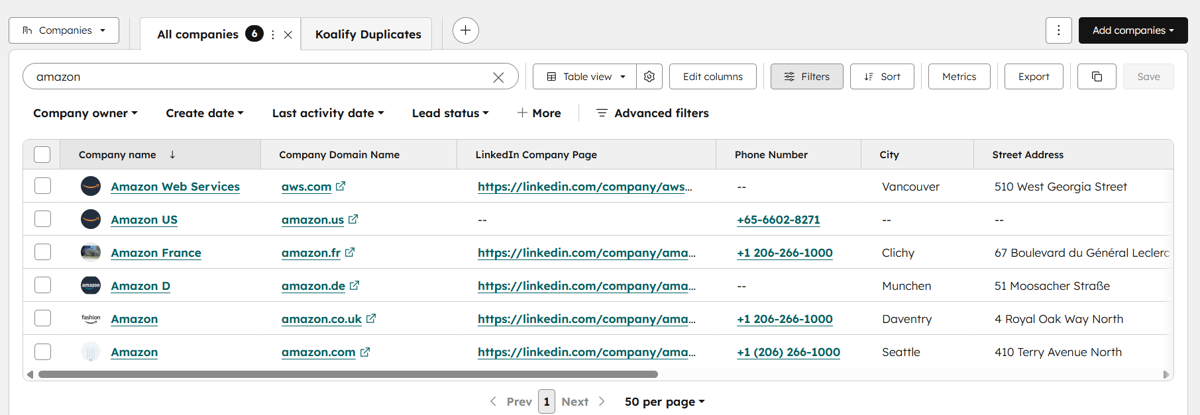
Imagine your team sells enterprise software centrally to Amazon HQ.
You have company records for:
- Amazon US
- Amazon Web Services
- Amazon UK
- Amazon Germany
- Amazon France
If your team sells through a centralized HQ motion and does not manage those entities as separate accounts, merging them into one main company record is usually the cleanest setup.
That way:
- one account owner has a clear view of the relationship;
- reporting rolls up to one company;
- workflows and lifecycle stages are simpler;
- your CRM stays easier to manage.
For this use case, trying to preserve every legal or regional variation can add unnecessary complexity.
When associations are the better option
Associations are the better choice when the structure of the organization actually matters.
That is especially true when you sell into:
- separate divisions,
- regional offices,
- subsidiaries,
- legal entities,
- franchise groups,
- or business units with different owners, pipelines, or motions.
In those cases, merging everything into one company record may hide useful information.
You may lose the ability to see which team owns which part of the account, which office is active, which subsidiary holds the deal, or how the broader organization is mapped.
Associate when:
- you sell into multiple divisions separately;
- different locations need separate ownership;
- you care about parent-child or sibling relationships;
- reporting should distinguish HQ from subsidiaries or regions;
- account structure matters for territory planning, whitespace analysis, or enterprise account management.
Example: when associations make sense
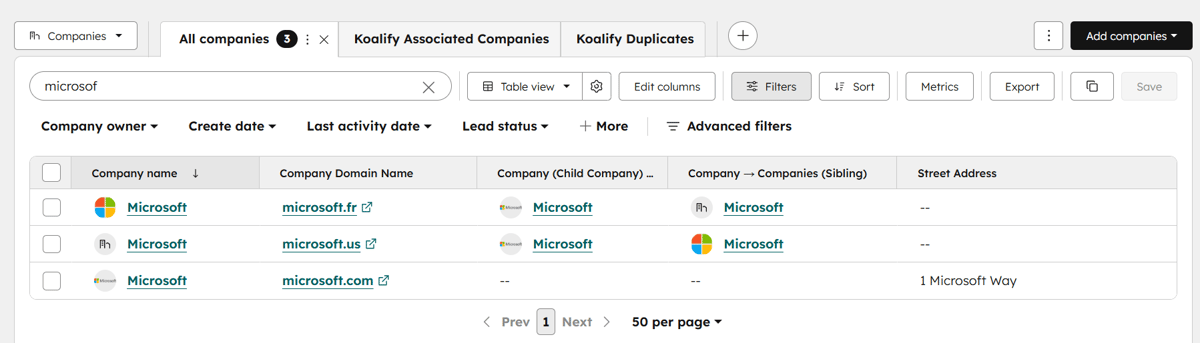
Now take the same Microsoft example, but imagine your sales team works different business units independently.
Your team may sell:
- one solution to Microsoft HQ,
- another solution to a regional office,
- and a separate package to a specific division.
In that world, those are not duplicates.
They are related companies inside a broader account structure.
If you merge them into one record, the CRM becomes simpler, but the account structure disappears. Associations let you keep each record distinct while preserving the hierarchy between them.
A simple decision framework
When you are deciding between merge and associate, ask this question:
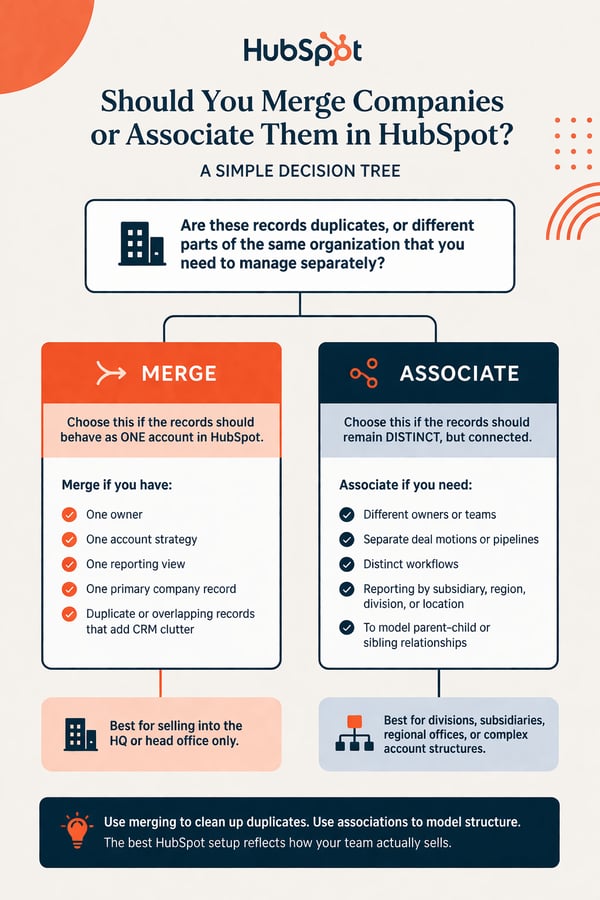
Are these records duplicates, or are they different parts of the same organization that we want to manage separately?
If they are true duplicates for your motion, merge them.
If they represent meaningful structure, associate them.
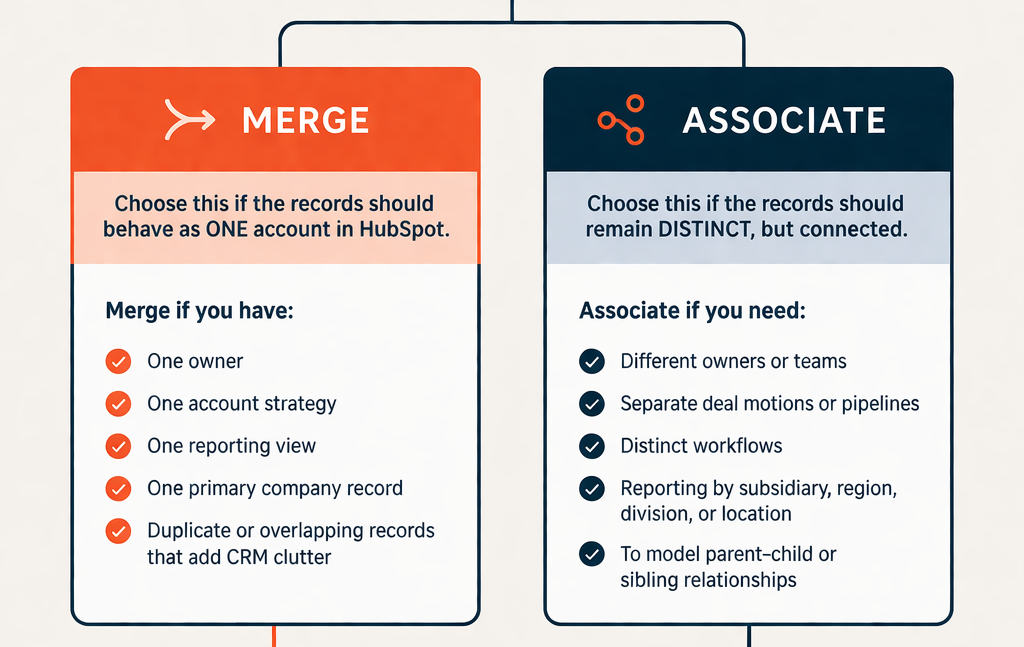
A practical decision tree looks like this:
Merge if:
These records should behave like one account in HubSpot.
That usually means:
- one owner,
- one account strategy,
- one reporting view,
- one primary company record.
Associate if:
These records should remain distinct, but connected.
That usually means:
- different deals,
- different owners,
- different workflows,
- different reporting needs,
- or a need to model hierarchy.
The risk of merging too aggressively
Many HubSpot portals become simpler after merging duplicates, but merging is not always harmless. Merging the wrong company records can overwrite data, break structure, or collapse multiple domains and related context into a single account view. That is why the merge-vs-associate decision should not be based on naming similarity alone.
Two records can look similar and still represent:
- separate legal entities,
- separate sales motions,
- separate ownership,
- or separate account plans.
When that is true, associations usually create a better long-term CRM model.
The role of company-to-company associations in HubSpot
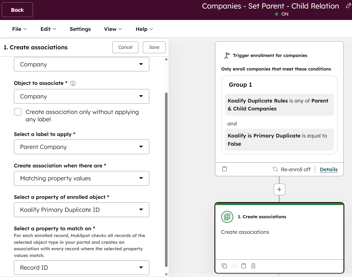
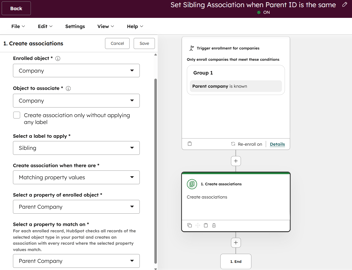
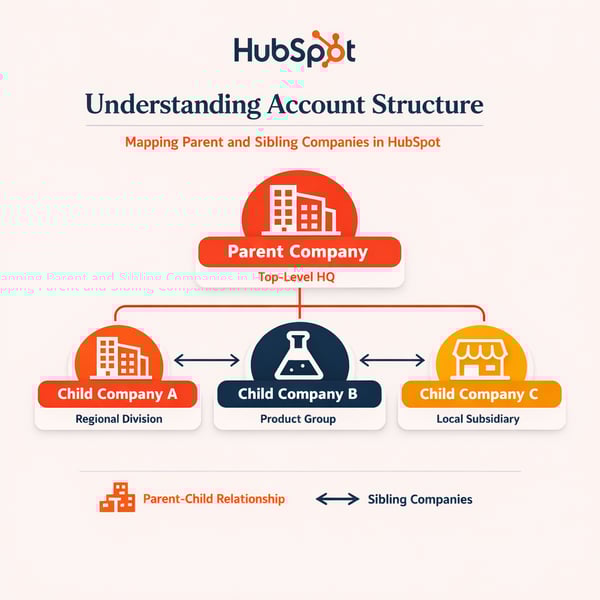
Two of the most useful and easiest company-to-company associations to set up are:
- parent-child associations help model hierarchy;
- sibling associations help model peer entities within that hierarchy.
That is helpful because real account structures are often more nuanced than “duplicate” or “not duplicate.”
For example:
- a holding company and its subsidiaries may need parent-child relationships;
- regional entities under the same parent may also need sibling visibility;
- different business units may need to stay separate, even when they share a brand.
When your team cares about how the organization is structured, associations often give you the flexibility that merging removes.
Recommended default for most teams
For many teams, the best default is:
- merge aggressively when records are truly redundant;
- preserve separate records when ownership, geography, division, or legal structure matters;
- use associations to make those related records visible and understandable.
That keeps the CRM clean without flattening account structures that sales and CS teams actually need.
Final takeaway
If you are only interested in selling into the HQ or head office of companies like Microsoft or Amazon, merging all divisions into one company record is often the easiest solution.
But if you are selling into divisions, separate locations, or subsidiaries, or if you care about the organization structure behind an HQ deal, then company-to-company associations are usually the better model.
In other words:
Merge for simplicity.
Associate for structure.
The best HubSpot setup is the one that matches how your team actually sells.