

You sent a campaign, and a chunk of it came back marked "hard bounce." Now those contacts have a banner on their record and HubSpot won't email them again. A hard bounce feels like a dead end, and for the address itself it usually is. But the bounce you can see is only half the story. The other half is what it's quietly doing to your sender reputation, and how many more like it are sitting in your list waiting for the next send.
This post covers what a hard bounce actually is in HubSpot, how HubSpot handles it, how to find and clean up the ones you already have, and how to stop new ones before they cost you. It sits under the broader topic of your HubSpot bounce rate, where hard bounces do the most damage.
What a hard bounce means in HubSpot
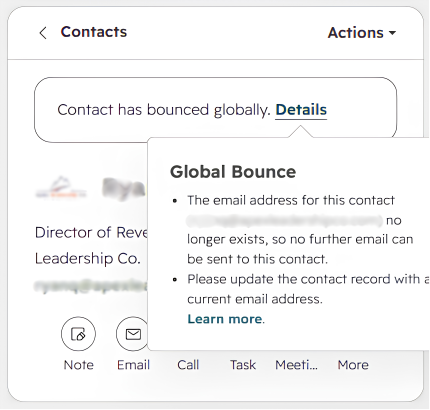
A hard bounce is a permanent delivery failure. The receiving server has told HubSpot that this message cannot be delivered and never will be, so retrying is pointless. The usual causes are an address that doesn't exist, a domain that's dead or misspelled, or a server that has permanently blocked you. In the raw bounce response you'll see phrases like "No such user", "Address rejected", or "Bad destination mailbox address". They all mean the same thing: this mailbox isn't reachable.
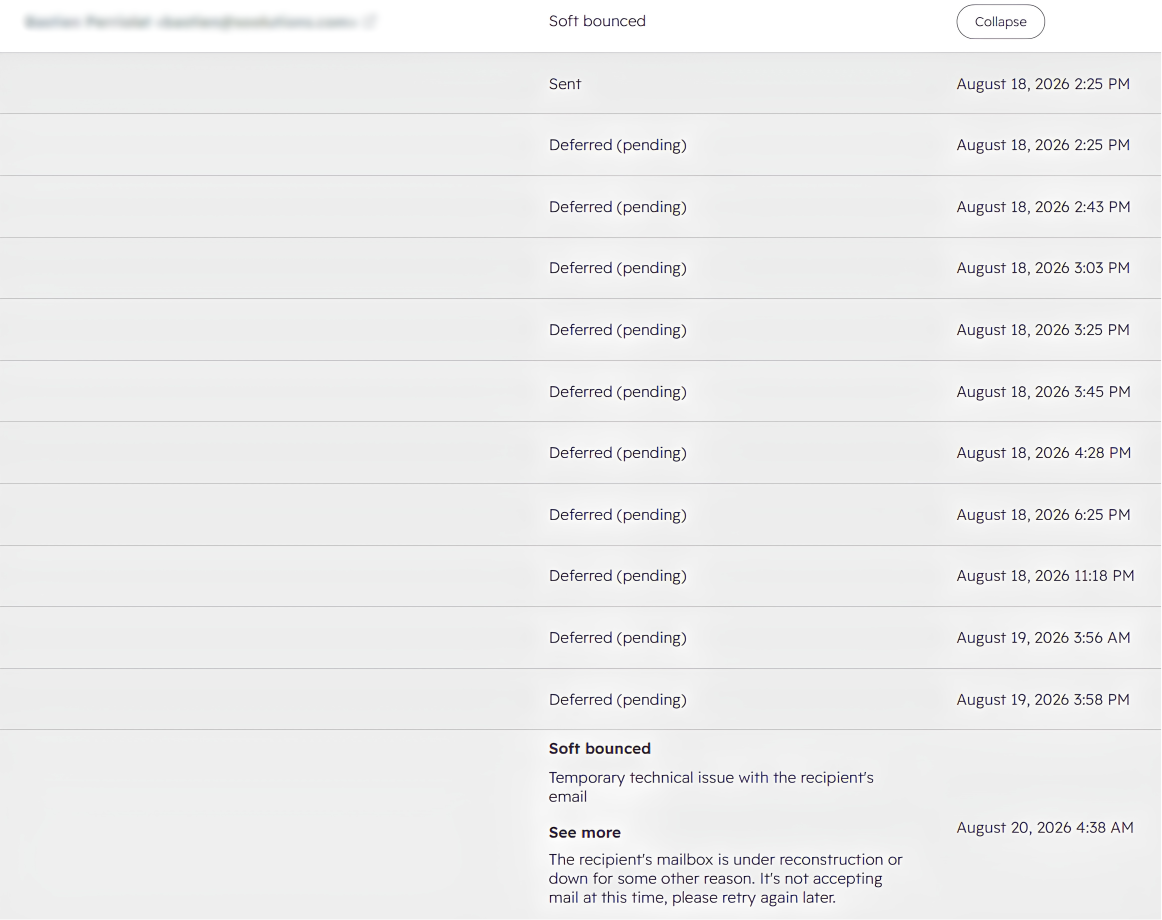
That's what separates a hard bounce from a soft bounce, which is a temporary failure like a full inbox or a server that's momentarily down. A soft bounce might deliver on the next attempt. A hard bounce won't, ever, unless the underlying address changes.
What HubSpot does automatically when an address hard bounces
HubSpot treats a hard bounce as final, and it acts on your behalf:
- It blocks all future marketing email to that contact, automatically, so you don't keep sending to a dead address.
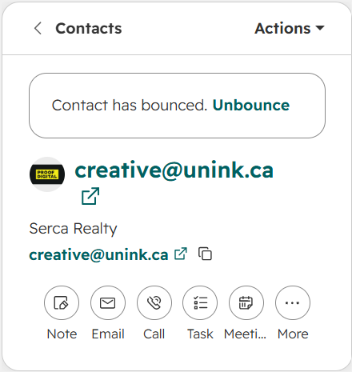
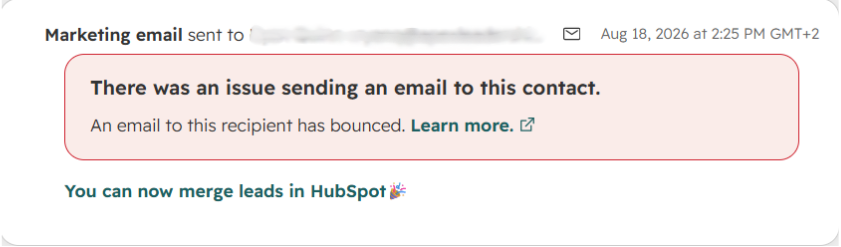
- It flags the contact record with a banner showing the contact has hard bounced, along with the reason.
- It counts the bounce in your email performance metrics, so it's part of the bounce rate you report on.
- It makes the suppression sticky. This is the part people miss: the block persists even if you re-import the contact or set up a new portal. The same address stays suppressed until you manually clear it.
That automatic suppression is genuinely useful. It stops the second, third, and fourth bounce to the same dead address. What it can't do is undo the first one, which brings us to the real cost.
Why hard bounces hurt more than the bounced send
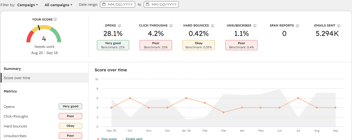
The bounced email is the obvious loss. The bigger, quieter cost is reputational. Every hard bounce tells Gmail and Outlook that you're sending to addresses you haven't cleaned, and mailbox providers respond by lowering the sender reputation that decides inbox placement for your whole list. So a batch of hard bounces doesn't just waste those sends, it nudges your good, valid contacts closer to the spam folder too. That's why hard bounces are one of the clearest early warnings that your deliverability is slipping.
There's a second cost that's easy to overlook. A hard-bounced contact is suppressed, but it's still sitting in your database, and it can still count as a Marketing Contact, which means you may be paying to store an address that can never receive another email. Left unmanaged, bounced contacts inflate your HubSpot bill on top of your bounce rate.
How to find your hard-bounced contacts
Before you can clean them up, you need to see them. The reliable way is an active list:
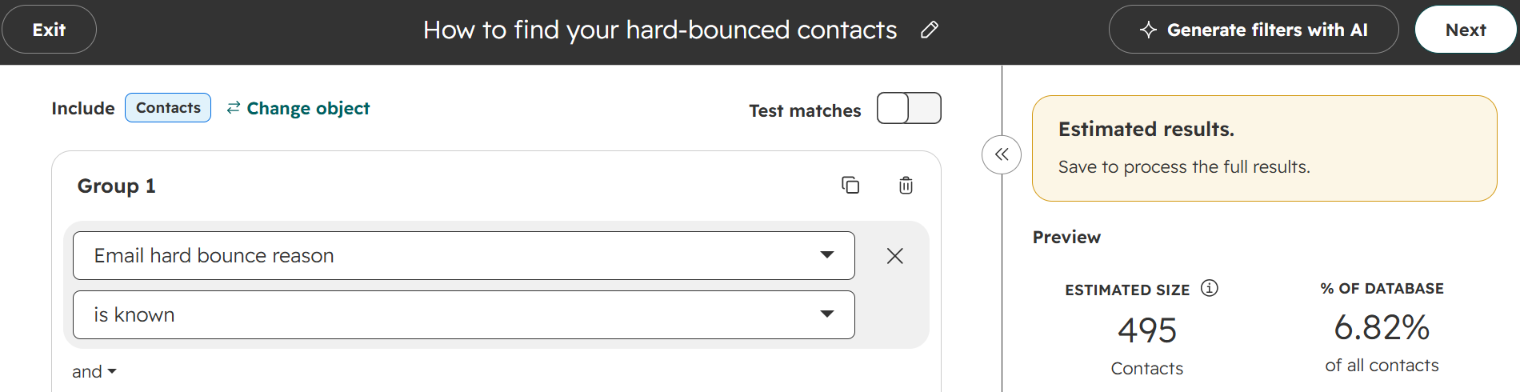
- Create a new active Segment (not static), so it keeps updating as new bounces occur.
- Add the filter "Email hard bounce reason" is known. This captures every contact where HubSpot has recorded a hard-bounce reason, whatever the specific error was.
- Optionally add "Became a marketing contact date" as a column, so you can see how long each bounced address has been billing you.
That segment is your working set. It shows you the scale of the problem and gives you something to act on rather than a vague sense that "some emails bounce."
How to fix and clean up hard bounces
Not every hard bounce deserves the same treatment. Work through them in this order:
Fix the obvious typos. Some hard bounces are just a mistyped domain like @gmial.com or @company.con. If you can see the intended address, correct it and unbounce the contact from their record so a valid person isn't permanently blocked. (More on unbouncing below.)
Set the rest as non-marketing, then decide on deletion. For genuinely dead addresses, take them out of your marketing-contact count so you stop paying for them. Set them as non-marketing first rather than deleting, because a bounced contact may still hold valuable associated data: deal history, notes, meeting records, form submissions. Only delete once you're sure there's nothing worth keeping.
Check your workflows. A hard-bounced contact is suppressed from email, but it can still trigger other workflow actions like task creation or property updates. Review whether those actions still make sense for someone you can't email.
Can you unbounce a contact in HubSpot?
Yes. If a valid address was marked as hard bounced, usually because of a typo or a one-off server issue that's since resolved, you can unbounce the contact from their record so they become eligible for email again. The important caveat: fix the underlying address first if it was wrong. Unbouncing a genuinely dead address just means it will hard bounce again on your next send, and you'll have spent another hit on your reputation to learn what you already knew.
How to prevent hard bounces in the first place
Cleaning up hard bounces after they happen is necessary, but it's always one step behind. HubSpot only learns an address is dead by sending to it and watching it bounce, so by the time a contact is suppressed, the reputational damage is already done. The only way to actually lower your hard-bounce rate is to stop sending to bad addresses before they bounce.
That means validating addresses before they reach a send. Email validation checks whether a mailbox actually exists, and doing it inside HubSpot lets you catch bad addresses both in bulk (across the list you already hold) and on entry (as new contacts arrive through forms, imports, and enrichment tools like Apollo and Clay). This is where Koalify does the work for you: a workflow action validates your whole list and then every new contact automatically, and a card on the contact record lets you check any address in one click. Teams running validation this way have kept sends to a 0.4% bounce rate across 4,000+ emails, which keeps the reputation hits, and the cleanup, to a minimum.
Frequently asked questions
What causes a hard bounce in HubSpot?
A permanent delivery failure: the email address doesn't exist, the domain is dead or misspelled, or the receiving server has permanently blocked you. The common thread is that retrying won't help, which is why HubSpot suppresses the address rather than trying again.
Does HubSpot automatically remove hard-bounced contacts?
It suppresses them, but it doesn't delete them. HubSpot stops sending marketing email to a hard-bounced address automatically, but the contact stays in your database and can still count as a Marketing Contact. To stop paying for it, set it as non-marketing or delete it once you've confirmed there's no associated data worth keeping.
How do I fix a hard bounce in HubSpot?
If it's a typo or a valid contact who changed details, correct the address and unbounce the contact from their record. If it's a genuinely dead address, set it as non-marketing or remove it. To reduce hard bounces overall, validate your list in bulk and validate new addresses on entry so bad ones never get sent to.
Is a hard bounce permanent?
For the address, effectively yes: HubSpot won't attempt delivery to a hard-bounced address again, and the suppression persists across re-imports and new portals. It only lifts if you manually unbounce the contact, which you should only do after fixing or confirming the address.