

A sales rep messages you: "Our biggest prospect says they never got the webinar invite." You open the email report in HubSpot and find the contact under Not sent. Or under Delivered, which is almost worse, because HubSpot says it arrived and the prospect says it didn't.
Every HubSpot email status tells you exactly how far a message got and where it stopped. Once you know what each status means, "why wasn't my email delivered?" usually takes a couple of minutes to answer. This post defines every status, lists every reason an email isn't sent, and explains what to do next.
Where to find HubSpot email statuses
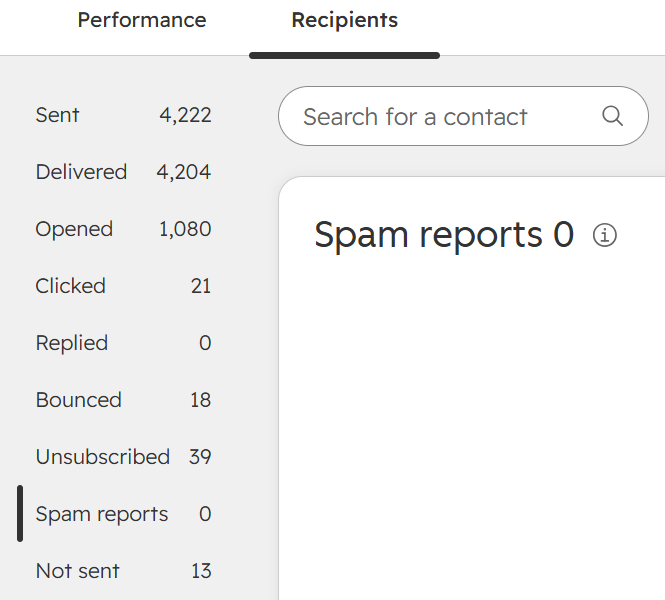
Open any sent marketing email, go to the performance page and click the Recipients tab. The left column lists nine statuses with a count next to each: Sent, Delivered, Opened, Clicked, Replied, Bounced, Unsubscribed, Spam reports and Not sent. Click a status to see which contacts are in it, and click Expand next to a contact to see every event for them. A contact can appear under more than one status, for example Delivered, Opened and Clicked.
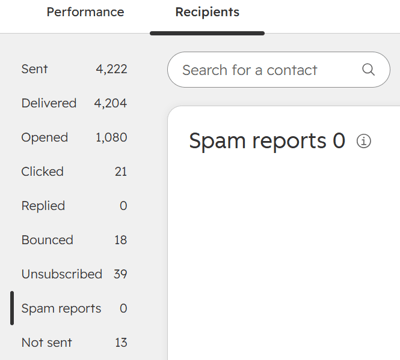
HubSpot email statuses at a glance
- Sent: HubSpot tried to send the email to this contact.
- Delivered: the recipient's email server confirmed it accepted the email.
- Opened: the contact opened the email.
- Clicked: the contact clicked a link in the email.
- Replied: the contact replied to the email.
- Bounced: the email was sent, but the recipient's server didn't accept it.
- Unsubscribed: the contact opted out after receiving the email.
- Spam reports: the contact reported the email as spam or moved it to junk.
- Not sent: HubSpot chose not to send the email, so it never left HubSpot.
Delivery statuses
Sent. HubSpot attempted delivery through its sending network. Sent doesn't mean received. It also leaves out anyone listed under "Don't send to" and anyone in Not sent.
Delivered. The recipient's server accepted your email, and that's all it confirms. A delivered email can still land in spam, quarantine or a security filter.
Bounced. The email left HubSpot, but the recipient's server wouldn't or couldn't accept it. There are four bounce types:
- Hard bounce: usually permanent, though strict security filters can cause one too. HubSpot excludes the contact from future emails. The most common causes are an unknown user and a mailbox that has been full or inactive for a long time.
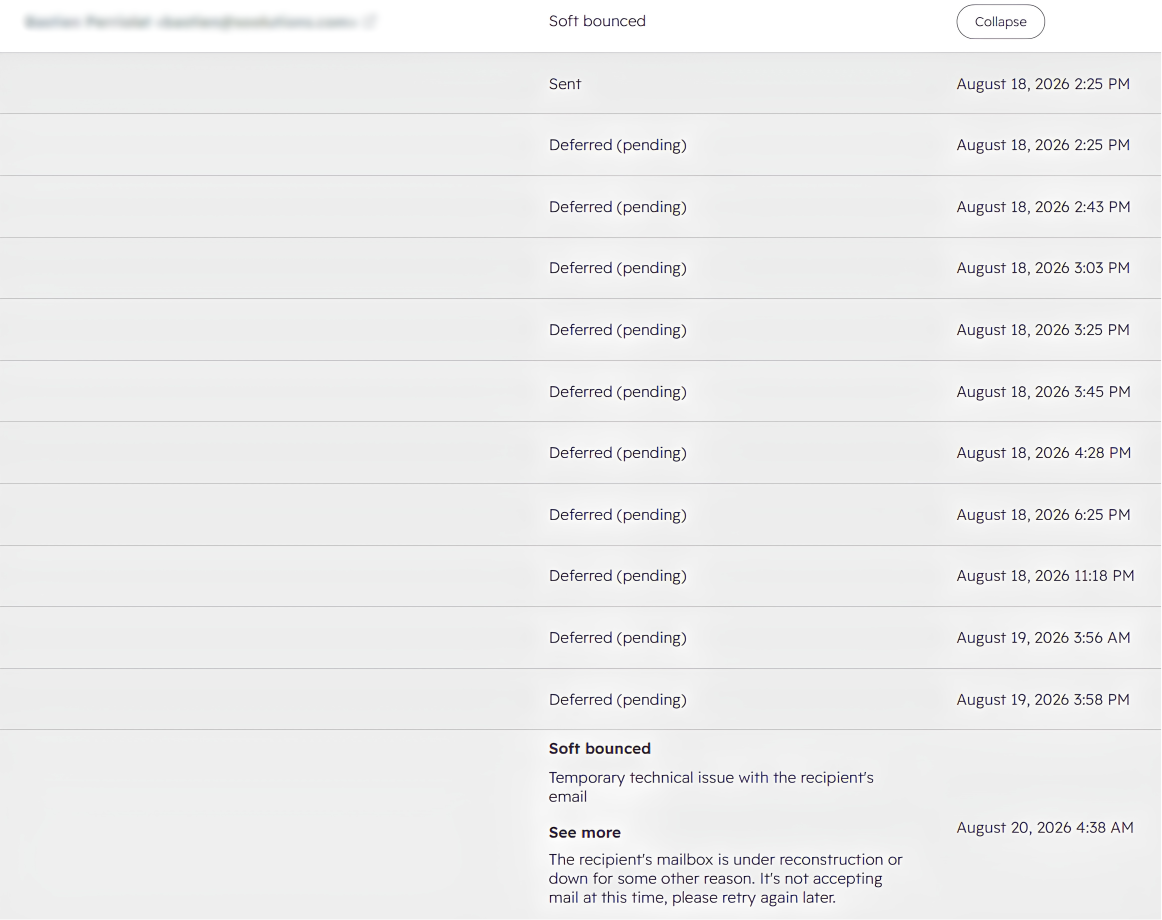
- Soft bounce: a temporary problem, such as the recipient's server being unavailable. The contact can still receive future emails.
- Pending bounce: HubSpot keeps retrying for up to 72 hours before it becomes a soft bounce.
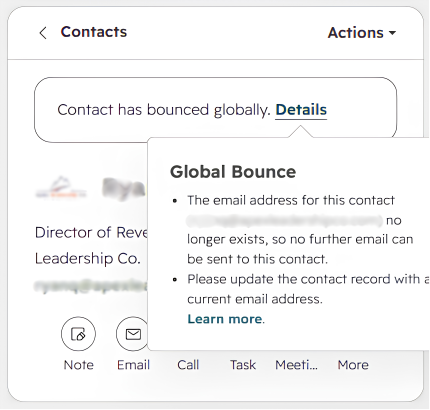
- Global bounce: an address that has hard bounced in three or more HubSpot accounts. It's blocked in every HubSpot account, including yours, even if you've never emailed it.
Our bounce-rate guide covers bounce thresholds and fixes in depth.
Not sent. HubSpot decided before sending that the email would probably not be delivered, or that sending it would be illegal. Because it never left HubSpot, it can't bounce. In HubSpot's API this is called a DROPPED event.
You may also see processed and deferred in API or raw event data. Processed means HubSpot's delivery provider has queued the email. Deferred means the receiving server temporarily refused it, so it will be retried.
Engagement statuses
Opened. HubSpot records an open when the email's images load, or when a link is clicked without the images loading. That makes opens unreliable: privacy features record opens nobody made, and email clients that block images hide real readers. Use opens for trends, not for decisions about individual contacts.
Clicked. The contact clicked a link, not counting subscription management links. Clicks are your most dependable engagement signal, and HubSpot filters out suspected bot activity.
Replied. The contact replied to the email. Reply tracking needs to be set up for the connected inbox, so if this always shows 0, check that first.
Negative signals
Unsubscribed. The contact received the email and opted out of this subscription type or all email. HubSpot dates the unsubscribe with the date the email was sent, not the date the contact clicked, so a late unsubscribe shows up against the older email.
Spam reports. The contact reported the email as spam or moved it to junk. HubSpot can suspend marketing email if your spam report rate goes above 0.1% in a month. This count doesn't include Gmail, so check Google Postmaster Tools before assuming a zero means no complaints.
Contacts who bounce, unsubscribe or report spam on an email are automatically excluded from future marketing emails.
Why a HubSpot email was not sent
On the Recipients tab, click Not sent, then use Filter by to see why each contact was excluded:
- Previously unsubscribed: the contact opted out of all email or of this subscription type.
- Previously hard bounced: an earlier email to this address hard bounced. If the contact is real, ask their IT team to allowlist your sending IPs, then unbounce the contact in HubSpot.
- Previously marked as spam: the contact reported a previous email as spam.
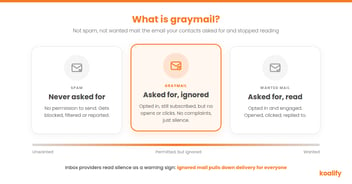
- Unengaged: the contact didn't meet HubSpot's engagement criteria, when Don't send to unengaged contacts is on. See graymail and unengaged contacts.
- Reached frequency cap: the contact has already reached the limit set by your email frequency safeguard.
- Other: most often a non-marketing contact, a contact not opted into the subscription type, or no legal basis to communicate.
Contacts with no email address at all don't appear under Not sent.
What "rejected" means in HubSpot
"Rejected" isn't a status on the Recipients tab, but you'll see the word in two places. In the API, a dropped event is a message rejected by HubSpot or its delivery provider before any delivery attempt, so it means Not sent. In bounce explanations, "rejected by recipient's email security filter" is a soft bounce. If it happened before sending, it's a drop. If it happened after, it's a bounce.
Delivered but not received
If HubSpot says Delivered but the contact never saw the email, it was filtered after it arrived. The usual places to look are the spam folder, a corporate security quarantine (common in financial services, healthcare and legal), or a tab such as Gmail's Promotions. If it's one contact, their setup is the likely cause. If many contacts at the same company or mailbox provider are affected, your reputation is the likely cause. Our email deliverability guide covers how to fix that.
Prevent the most common cause
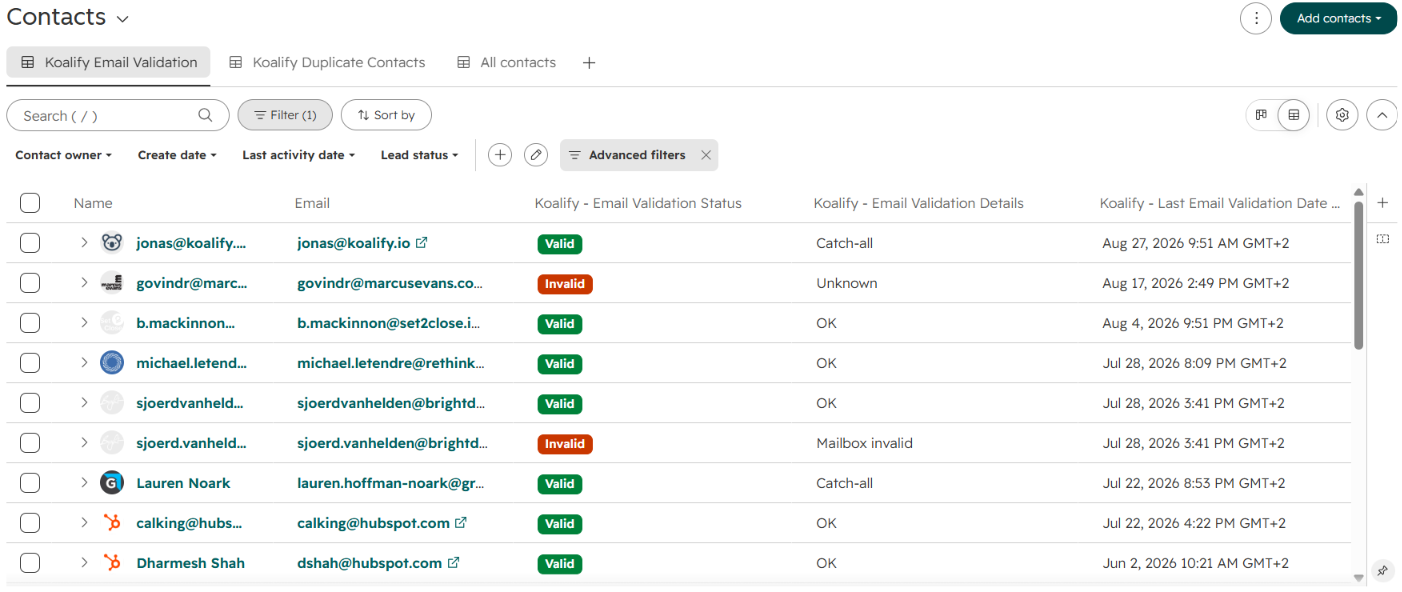
Most undelivered emails trace back to an address that should never have been in the send. Every unknown-user bounce raises your bounce rate, and every global bounce is an address you were emailing without knowing it was dead. Validating addresses before they're emailed stops those bounces before they happen.
FAQ
Why was my HubSpot email not delivered?
Check the email's Recipients tab. Not sent means HubSpot excluded the contact before sending. Bounced means the recipient's server refused the email. Delivered means it arrived and was then filtered to spam or quarantine.
What does "Not sent" mean in HubSpot?
HubSpot deliberately didn't send the email to that contact, to protect your sender reputation or because sending would be illegal. The email never left HubSpot, so it isn't a bounce.
What's the difference between dropped and bounced in HubSpot?
A dropped email (shown as Not sent) is stopped by HubSpot before sending. A bounced email was sent, but the recipient's server wouldn't or couldn't accept it.
Why does HubSpot show 0 spam reports?
Either nobody reported the email, or the complaints came from Gmail users. HubSpot's spam report count doesn't include Gmail, so use Google Postmaster Tools to see those.
Can I send to a contact who previously bounced?
Only if you're confident the address works. For hard bounces caused by security filters, ask the contact to allowlist HubSpot's sending IPs, then unbounce them. For a global bounce you think is wrong, contact HubSpot Support.