

Someone on your team wants the whole database in the monthly newsletter. It's 80,000 contacts. Around 45,000 of them haven't opened anything in over a year. The argument is familiar: "It costs nothing to send, and it keeps us top of mind."
It isn't free. The cost doesn't appear on the send report. It shows up weeks later, when your emails to the 35,000 people who do read them start landing in spam.
This post covers the engagement lever from our HubSpot email deliverability guide in depth. It explains why unengaged contacts drag down everyone else's inbox placement, why HubSpot's built-in suppression won't catch enough of them on its own, and how to build a sunset policy that decides who gets one last chance and who you stop emailing altogether.
Why unengaged contacts hurt your engaged ones
Gmail and Outlook don't judge each email on its own. They judge you as a sender, and engagement is one of their main inputs. When a large share of your mail is ignored, providers conclude that people don't want it and filter more of it to spam, including mail to the people who were happy to receive it.
So you aren't choosing between reaching unengaged contacts and not reaching them. Mail they don't open wasn't reaching them anyway. The real choice is between sending to them and protecting inbox placement for the people who read your mail.
There are two further costs. Long-dead mailboxes are where spam traps come from, because providers recycle abandoned addresses to catch senders who don't maintain their lists. And every unengaged contact you keep marketable counts towards your HubSpot Marketing Contacts tier, so you pay each month for mail that damages your reputation.
What HubSpot's built-in suppression covers, and what it doesn't
HubSpot has a built-in safety net called graymail suppression: a Don't send to unengaged contacts switch that excludes contacts after a run of ignored sends. It's a sensible default, and our graymail guide explains it in more detail. But it's a per-email setting, and it can't make decisions about people for you.
How HubSpot defines an unengaged contact
HubSpot tracks engagement with the Sends since last engagement contact property. It counts an engagement when a contact opens a marketing email or clicks a link in one. A contact is classed as unengaged if either of these is true:
- They have never engaged with a marketing email from you and haven't engaged with the last 11 emails you sent them.
- They engaged in the past but haven't engaged with the last 16 emails you sent them.
You can't edit the property by hand. It only resets to zero when the contact opens or clicks an email. If you delete an unengaged contact and create them again, HubSpot remembers their history, so they'll still be excluded.
Where to find the setting in HubSpot
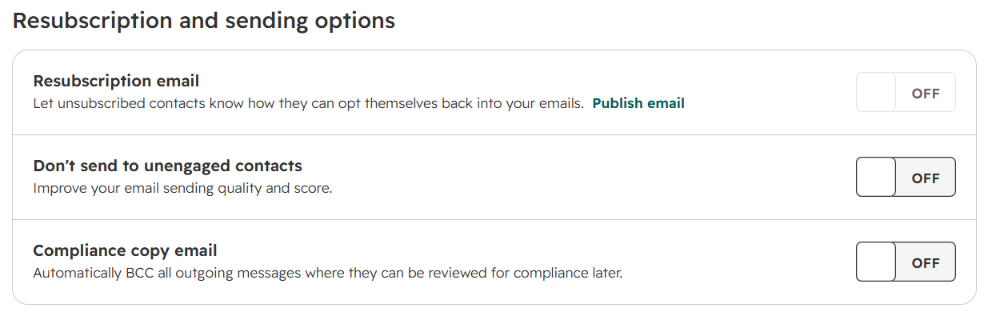
The Don't send to unengaged contacts switch is on by default for every marketing email you create. You can override it on any individual email when you send or schedule it, and you can also change the default for the whole account:
- In your HubSpot account, click the settings icon in the top navigation bar.
- In the left sidebar menu, go to Marketing > Email.
- Click the Subscriptions tab.
- In the Resubscription and sending options section, toggle Don't send to unengaged contacts off.
Changing the default only affects emails you create afterwards. Emails that already exist keep whatever setting they had. Only turn it off if you've replaced it with a stricter policy of your own, such as the sunset policy below.
Where it stops
The suppression does its job. The limits come from the data it works with and what it's designed to do.
Nobody sees the engagement data that matters most. Gmail, Outlook and Yahoo judge you on signals they don't share with any sending platform, including HubSpot: whether people reply, delete your email unread, move it out of spam, or mark it as important. HubSpot only sees opens and clicks, and opens are unreliable in both directions. Apple Mail Privacy Protection records opens nobody made. Image blockers and corporate filters that strip images hide genuine readers, because HubSpot only records an open when its tracking image loads. Clicks are more dependable, since HubSpot tracks them through its own links whatever email client someone uses. The closest you'll get to the provider's view is Google Postmaster Tools, which shows your domain reputation and spam rate at Gmail, but only in aggregate, never per contact.
The practical conclusion: don't decide who stays on your list from email engagement alone. Add signals a mail client can't fake, such as form submissions, meetings booked, sales email replies and deal activity.
It counts sends, not time. The threshold is a number of ignored emails, so it means something very different for a team that sends weekly and one that sends monthly.
It stops the send, but doesn't make a decision. A suppressed contact is still a marketing contact. You keep paying for them, they stay in your reports, and the next person who switches the setting off on a campaign emails them again.
HubSpot's own reputation guidance goes further than the default setting: limit sends to contacts who haven't opened or clicked in six months, consider re-engaging them, and never email contacts who haven't opened anything in over a year. A sunset policy takes that guidance and turns it into a rule that runs by itself.
Check it's not a data problem first
Before you sunset anyone, check whether they're really unengaged or whether bad data makes them look that way. In large portals, a good share of "cold" contacts fall into one of two groups.
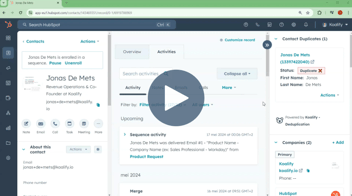
Duplicates. One person, two records. The prospect signed up with their personal Gmail years ago, then came back through a form with their work address. They open everything on the new record, while the old one sits unopened. It stays in your unengaged segment and on your Marketing Contacts bill. Greenpeace Canada described exactly this pattern across a database of more than a million contacts: "The main sources of duplicates are from form submissions, where people may use different variations of their name or multiple email addresses." Merge those records and the person's engagement history sits in one place, so your segments reflect people rather than fragments of them.
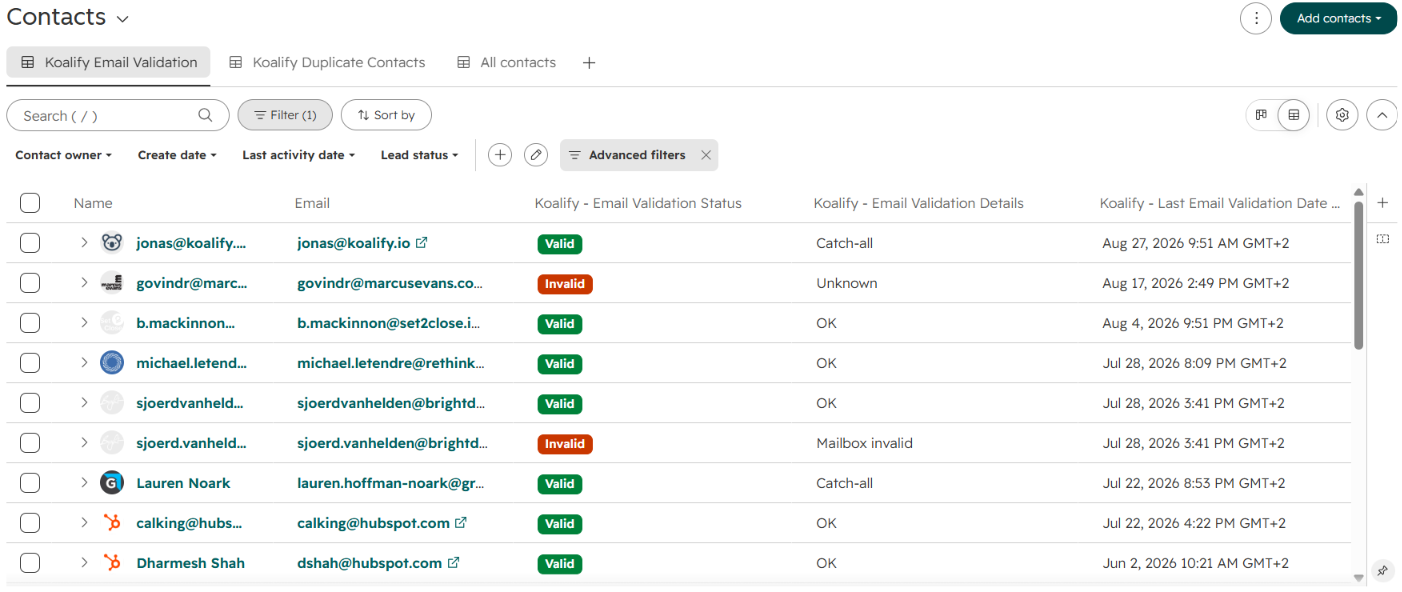
Invalid addresses. Some contacts never engaged because their address never worked, or stopped working when they changed jobs. Enrichment tools such as Apollo, Clay, ZoomInfo and Clearbit add guessed addresses. These contacts are more than unengaged. They're future bounces and possible spam traps, and a re-engagement email to them only causes more damage.
Clearing both groups first shrinks the segment you have to make difficult decisions about, and it means your sunset policy acts on real behaviour rather than broken data.
How to set a sunset policy
A sunset policy is a written rule for when a contact stops receiving marketing email. Keep it to three decisions.
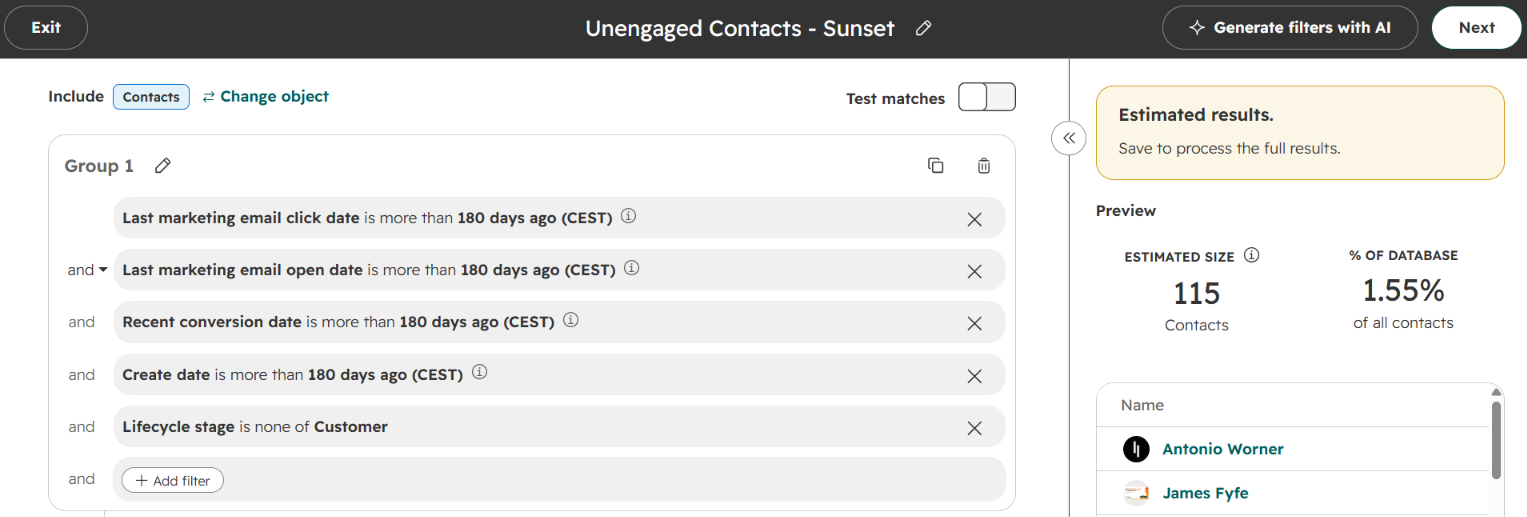
Who counts as unengaged. Combine email clicks with signals a mail client can't fake: form submissions, sales email replies, meetings booked and deal activity. Leave out customers, contacts with open deals, and anyone created too recently to have had a chance to engage. When you build the segment, check the counts carefully: date filters such as "is more than X days ago" skip contacts whose date is empty, which includes the people who never engaged at all.
Who gets one last chance. Contacts who have been cold for 6–12 months get a short re-engagement sequence of two or three plain emails over four to six weeks. Ask for a click ("Keep me subscribed") rather than hoping for an open, because clicks are what HubSpot tracks most reliably. Contacts silent for more than a year go straight to sunset.
What sunsetting means. Remove non-responders from marketing sends and set them as non-marketing contacts. On Marketing Hub Professional or Enterprise, a workflow can do this automatically. You keep the record and its history, sales can still email them one to one, and a later form submission can bring them back.
The trade-off, honestly
Sunsetting will make your list smaller, and some of the people you remove would eventually have come back. That's a real cost. For most portals it's a smaller cost than the spam folder, because deliverability damage affects all your contacts while the upside from a cold contact is a long shot. Sending less to a more engaged list almost always means more mail lands in the inbox.
This policy also isn't a one-off task. Contacts go cold every month, and new records keep coming in from forms, imports and enrichment tools. The segment should update itself, and so should the data it relies on.
FAQ
What counts as an unengaged contact in HubSpot?
HubSpot classes a contact as unengaged if they've never opened or clicked a marketing email from you and ignored your last 11 sends, or if they engaged in the past but ignored your last 16. For a sunset policy, a time-based definition works better: no clicks, form submissions or other activity in six months or more.
Should I delete unengaged contacts in HubSpot?
Usually not. Setting them as non-marketing contacts stops the emails and reduces your Marketing Contacts bill while keeping their history, associations and deal context. Deletion makes sense for records that are clearly junk. HubSpot keeps engagement history, so a deleted and recreated contact can still be treated as unengaged.
How long should I wait before sunsetting an unengaged contact?
HubSpot's guidance is a good benchmark: limit sends after six months without an open or click, and stop entirely after a year. Adjust for how often you send. Six months of silence means much more on a daily send than on a quarterly one.
Does a re-engagement campaign hurt deliverability?
It can, if you send it to your whole cold list at once. Send it only to contacts inactive for 6–12 months, validate the addresses first, send in small batches, and stop after two or three emails. Contacts who've been silent for more than a year should be sunset without a re-engagement attempt.
Can I trust HubSpot's open data?
Only as a rough guide. Privacy features such as Apple Mail Privacy Protection record opens nobody made, while image blocking hides real readers. Base decisions on clicks, form submissions and sales activity as well as opens.